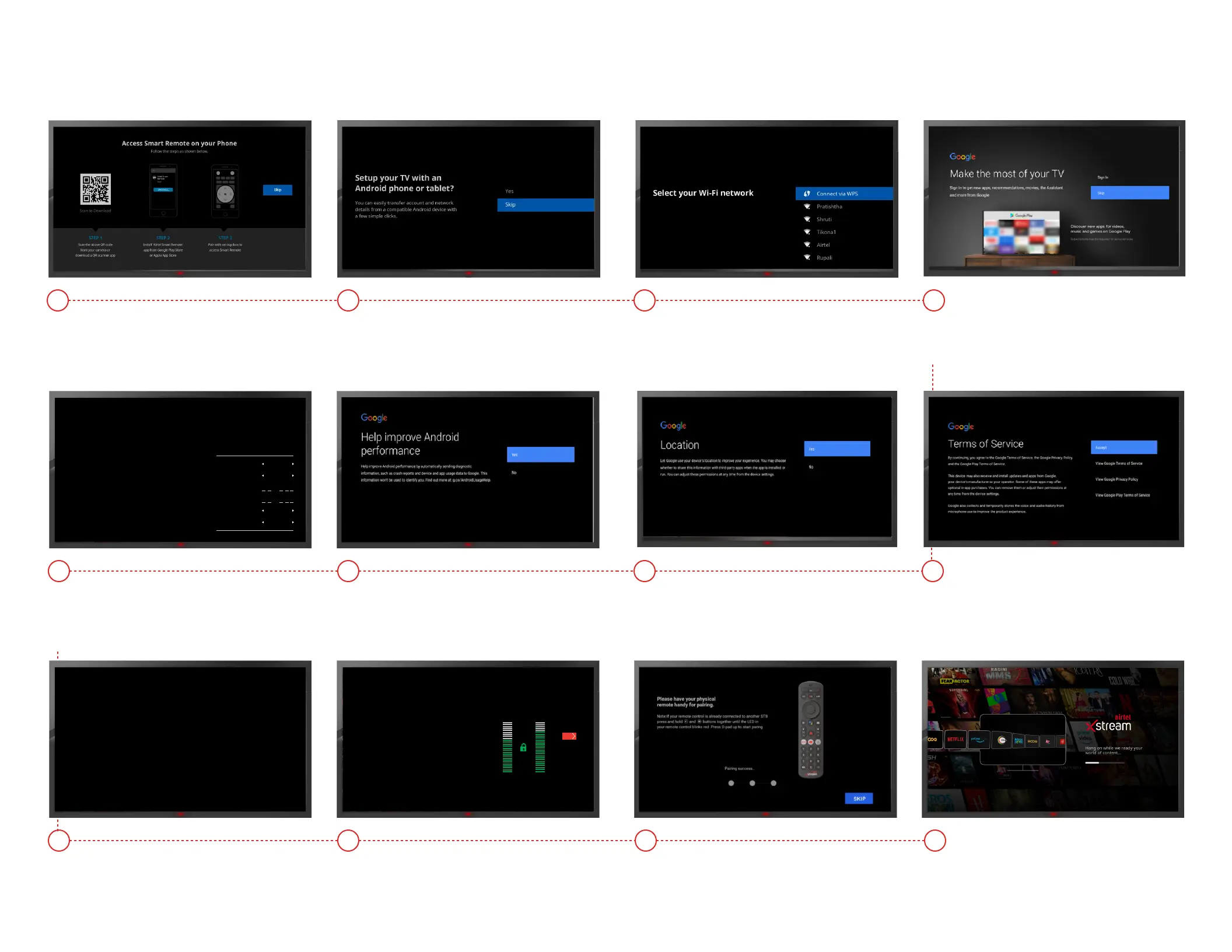
Click on Skip button
using Airtel remote
Setting up your Xstream Box
1
Click on Skip button
& move to next step
2
Select Yes to move on next
screen
7
Select LNB type as Universal
(If you don’t see this screen, skip
to Step 9)
8a
Scan the signal strength and
press OK
8c
Xstream box will initialise and
landup on home screen.
10
Select SES-7 TP11
8b
Select skip to move on to next
Screen
9
Connect with Wi-fi or skip if Internet
connection is not available.
3
Select Yes to move on next
screen
6
Sign in with your Google ID for
regular updates
4
Accept the terms of service to
continue using remote
5
Entry Point
LNB SETUP
LNB Type Universal
1
0 9 . 7 5 0
1 0 . 6 0 0
SES-7
OFF
LNB Number
L.O. Low Freq(GHZ)
L.O. High Freq(GHZ)
Satellite
DiSEqC Port
Before Proceeding, please check that Set-top Box is connected according to
The instruction in the user manual.
Entry Point
SES-7 TP11
SES-7 TP13
SES-7 TP12
SES-7 TP14
SES-7 TP15
SES-7 TP16
Before Proceeding, please check that Set-Top Box is connected according to
the instruction in the user manual.
Signal Lock
Please wait while the device is fetching channel information
6
8
10
12
14
16
Signal Quality
BER: 4.75E-07
00
20
40
60
80
100
Signal Strength
Signal Levels: 73
NEXT



 To Next Page