7
PRODUCT OPERATION
Preparation
Please check whether the appliance has power. If not, please charge it (refer to “Product
Charging” for details), and use after fully charged.
PRODUCT ASSEMBLY
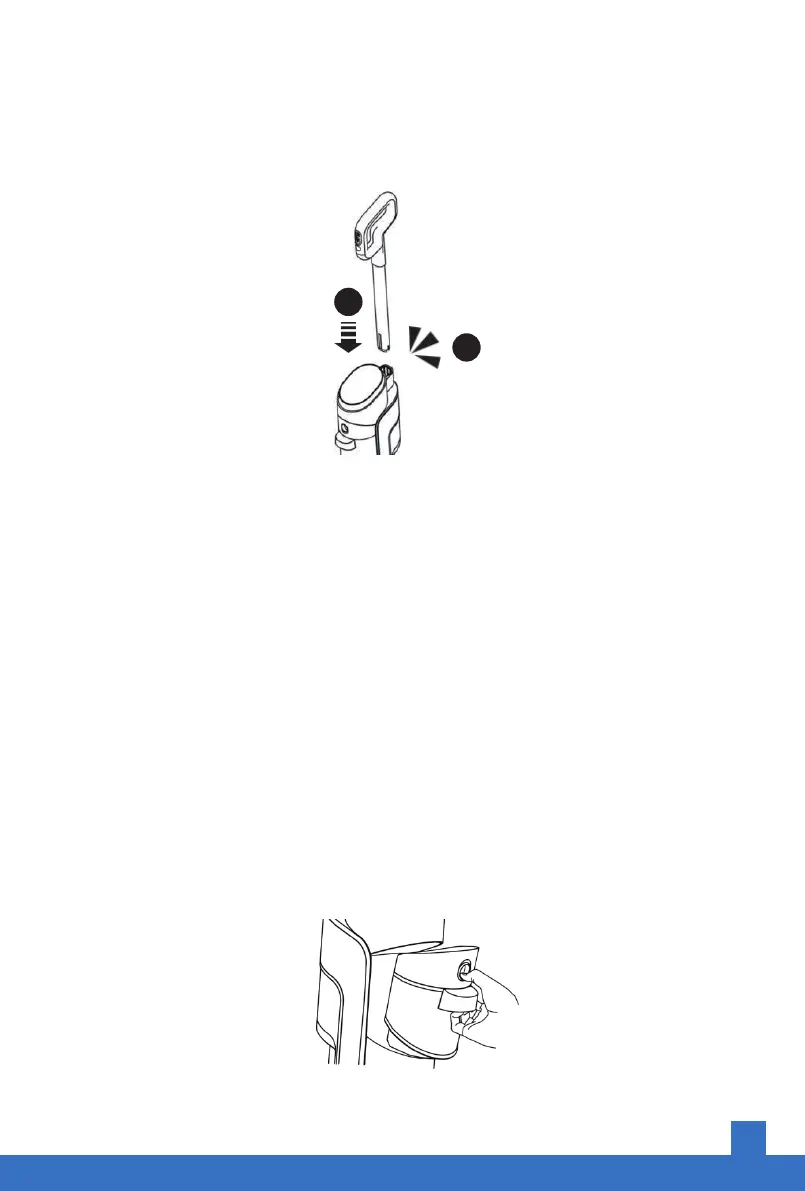
Insert the handle into the corresponding top position of the main body.
There are buckles for positioning. If you hear a clicking sound when the handle snaps into
place, the installation is complete.
Handle Disassembly
Use a non-sharp auxiliary tool (such as a bamboo stick) to poke into the small hole
shown in the figure to hold the handle removal key, and at the same time pull out
the handle vertically upward.
“Click”
1
2
Fill the Clean Water Tank
1. Press the tank button to remove the solution tank.


 To Next Page