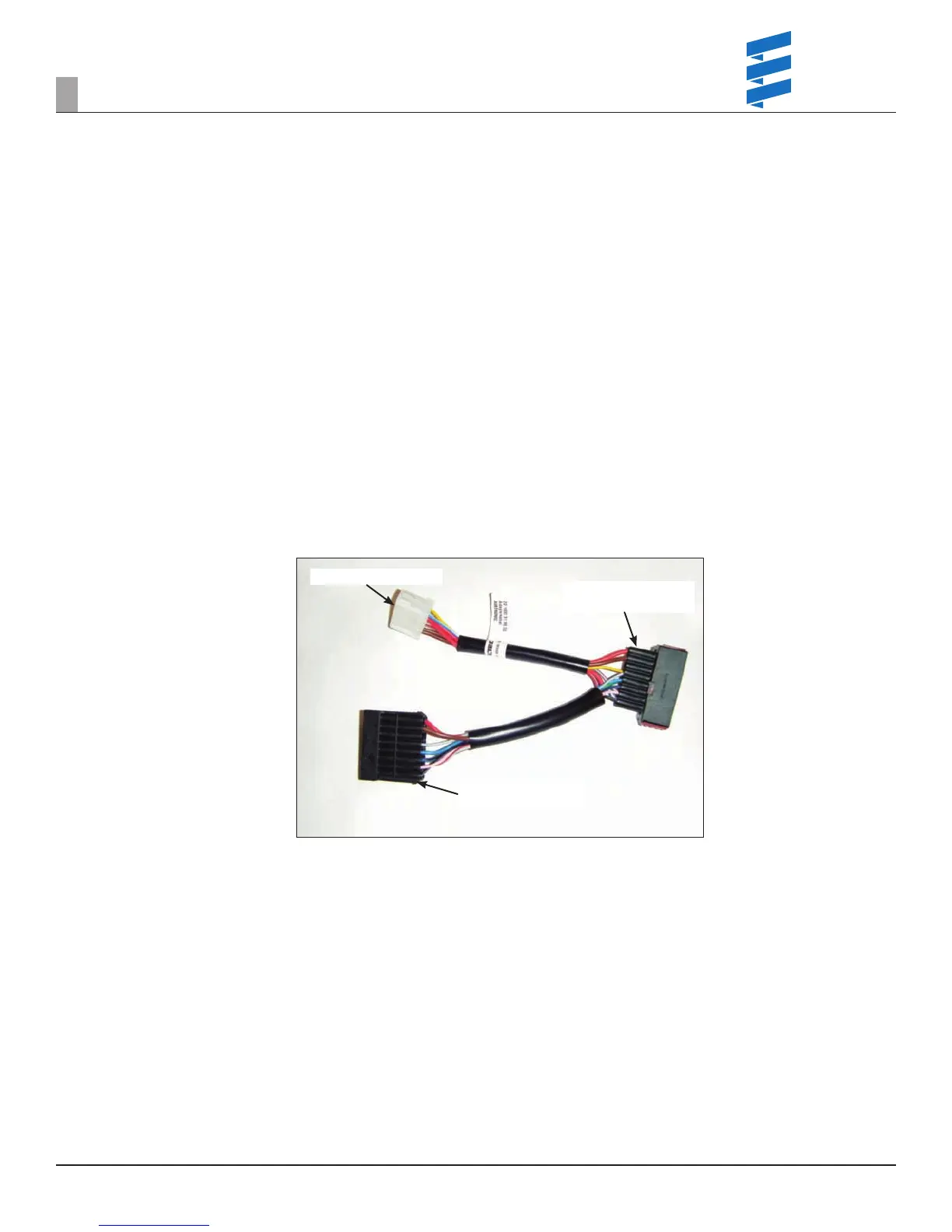
Connection to the heater
side of the harness
Connection to the truck
side of the harness
White diagnostic plug
4
IF THERE IS NO COMMUNICATION -
Fault reader displaying - - - (dash dash dash) or non-functional Espar unit without fault codes
1. Check units open circuit voltage at the batteries.
2. If the voltage is below 12.6 (Flooded cell) or below 12.8 (AGM) charge the batteries to a minimum of 12.4 volts (must be above the system LVD setting)
following your company’s standard practices and restart troubleshooting.
a. Otherwise continue below.
3. Connect Diagnostic Interface adapter (Figure 15).
4. Using the “Y” adapter and multi-meter:
a. Perform a continuity test to verify ground on the brown wire of 0 ohms.
b. Perform a voltage test to verify battery power between the red wire and the brown wire.
I. If voltage is below 10.5 volts troubleshoot the tractor’s wiring utilizing the manufacturer’s documentation –
II. Check for harness voltage drop to the heater.
c. Perform a test to verify continuity to the diagnostic reader at blue wire-white tracer at the white connector and blue wire-yellow tracer on the
Espar heater.
I. If wires are damaged repair wires.
II. Always use heat shrink, solder or connectors with heat shrink tubing when making wiring repairs.
Figure 16
5. If the problem persists connect the test harness (Figure 15) and wire the Espar directly to the batteries.
a. Plug the 8 pin adapter test harness in series with the Espar harness at the heater.
6. Use a known good battery (12 volt min.) and supply external power using the white connector plug (heavy red wire=power, heavy brown wire=ground).
7. If the problem persists, replace the control unit (ECU).
REVISION LEVEL A - 09/09/15
11
FAULT CODE / TROUBLESHOOTING


 To Next Page
 Loading...