QUICK START GUIDE
A
E
B
C
D
F
Product Overview
A
B
C
D
E
F
Power Button / Virtual Keyboard
Power Indicator (displays when powered ON)
Bluetooth Indicator
Mode Button
Foot Switches
Power Port
Press and hold to power your pedal ON or OFF.
Quick press to show/hide virtual keyboard.
Your pedal is set to Mode 2 by default.
Hold the button to switch between modes. Release
when the number of flashes equals the desired mode.
Reference mode chart in user manual.
The switches control the app functions. Dierent
actions can be assigned with the AirTurn Manager app.
USB Charging requires a 5v/2A USB charging block
and the included charging cable.
Seeking: rapid flash (twice per second)
Connected: steady flash (once per 3 seconds)
Sending: solid (when switch is pressed)
Full: unlit
Drained: quick flash (three times)
Low: slow flash (once per 3 seconds)
Charging: steady flash (once per second)
Charged: solid

 Need help?
 General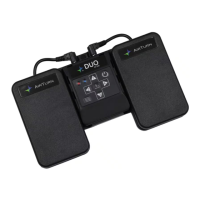

 To Next Page