/5
KA
5%"+"'($'"$#"(()9&;
= 0,/,70#
You can set the sample range of your edit by adjusting the start/end points. For more
information about adjusting the start/end points, see 'Setting the Start / End Points' on
page 89.
@ 4-6)9&*
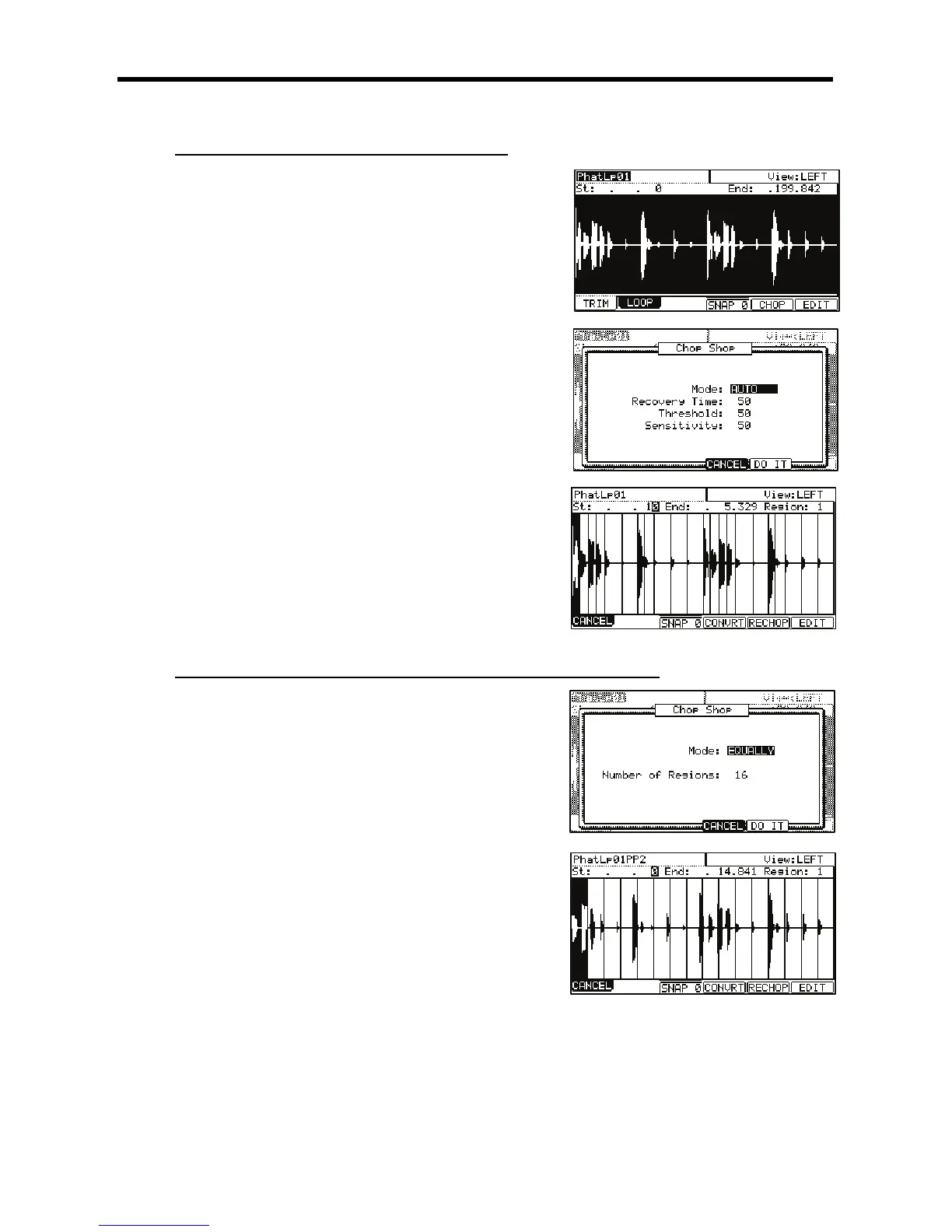
The Chop Shop window will be displayed.
G 0,,#,+:&,
#)$'9S;D
This sets the minimum time between the attack and the next attack. If you
set this time too long, continuous attacks may not be detected. Select a
smaller value when the sample has a lot of attack parts.
&..(%9S;D
This sets the detectable level of an attack. The smaller the value, the
more sensitive the detection will be, so if you select a very low value,
everything will 'register' as an attack.
+$$)9S;D
This sets the sensitivity used while detecting an attack. Selecting a
smaller value will make the detecting process more sensitive towards
varying attack levels.
> 4-6);&0*
The MPC5000 will start dividing the sample, then go to the 'Chop Shop' page. The
MPC5000 divides a sample into several regions by automatically detecting the attack
part of the phrase.
The next step is to adjust the divided regions.
Go to the 'Adjusting the Start / End Point of the Region' section for more information.
5%"+"'($/1"($.9B;
= 0,/,70#
You can set the sample range you wish to edit by adjusting the start/ end point.
For more information about adjusting the start/end points, see 'Setting the Start /
End Points' on page 89.
@ 4-6)9&*
The Chop Shop window will be displayed.
G 0,,#,5$:+IIJ,
'8/
Set the number of regions you wish to divide the sample into. Usually,
sixteen is a good start for a single measure loop.
> 4-6);&0*
The MPC5000 will start dividing the sample, and then go to the 'Chop Shop' page.
The MPC5000 will divide a sample into separate regions of equal length
The next step is to adjust the divided regions.
Go to the 'Adjusting the Start/ End Point of the Region' section for more information.





 To Next Page