//
==
+ 2/-+,-
You can control the sample’s volume by velocity. The larger you set the value, the bigger the difference of the level will be.
If you set this field to 0, the sample will be played back at the maximum level regardless of the velocity.
($(
= 0-0I577&87+#
@ 0,,#401;&6
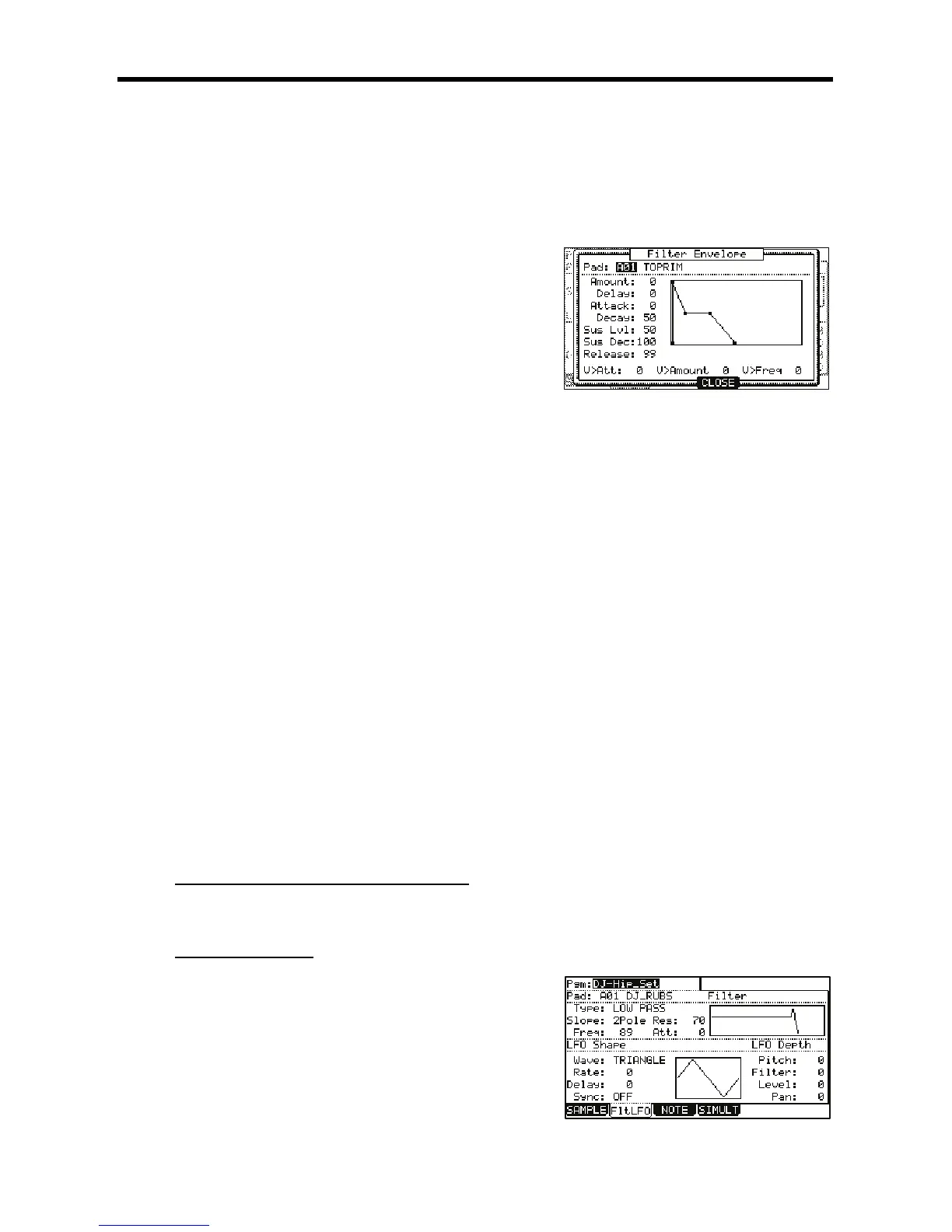
The Filter Envelope window will be displayed.
+"+,-
The selected pad will be displayed.
+$+,-
You can set the depth of the filter envelope. If you set this
field to a ' + ' value, the cut off frequency will start higher
than the original cut off frequency and will follow the
envelope level. If you set this field to a ' - ' value, the cut off
frequency will start lower than the original cut off frequency
and go back to the original frequency within the time set in
the 'Time' field.
+.-+,-
This field sets the amount of time that will elapse before the envelope will affect the filter; the larger the value, the longer
the delay.
+%&+,-
You can set the filter’s attack time in this field. The larger the value, the longer it will take for the filter to change. (Fade in)
+.%+,-
This field sets how long a filter will fade out before the filter enters the Sustain part of the envelope.
+!/-+0!$/-1,-
This parameter is the level that the sample reaches when the decay portion is finished. This parameter has no effect on
samples set to ONE SHOT.
+!.%+0!$.%1,-
This parameter determines the time it takes for the 'Sustain Decay' stage to drop to zero. If this parameter is set to 100,
the envelope will sustain for as long as the key is held down. This parameter has no effect on samples set to ONE SHOT.
+-+,-
This sets the amount of time the envelope will take to get from its current level to zero after the note has been released.
The higher the number, the longer it will take to fade out.
+ 2+,-
You can control the filter envelope time by velocity. If you set this field to a ' + ' value, the time will be closer to the time set
in the 'Time' field with higher velocity. If you set this field to a ' - ' value, it works exactly opposite. If you set this field to 0,
the time is constant by velocity.
+ 2$+,-
You can control the depth by velocity. If you set this field to a ' + ' value, the beginning cut off frequency will start closer to
the frequency set in the 'Amount' field with higher velocity. If you set this field to a ' - ' value, it works exactly opposite. If
you set this field to 0, the depth is constant by velocity.
+ 23+,-
You can control the cut-off frequency with velocity. The higher the velocity, the higher the cut-off frequency. If you set this
field to 0, the cut-off frequency is constant by velocity.
($$.+"'("'
5,-,J
-I-&7&87+
+$$$.($
= 07&87+#4-@6)-I-&*
The 'FltLFO' page will be displayed. You can select the program to edit in the 'Pgm'
field.
@ /
The 'Pad' field displays the pad number of the selected pad. To the right of the pad
number, the name of the sample assigned to the pad is displayed.
G /,,#
The MPC5000 has several types of filters to modify the sound. With these filters,
you can cut or boost the specific frequency of the sound. The following types are


 To Next Page
 Loading...














