==G
$-$ D
'&?''$2C&
$&"$/"$
8
-.#%+=+@
%+@#+=
J.
1#)#(("$9;
J I-& ( I-&# -
.#I-&#%%#I%
I-&#%-I-&
I%
= 07&87+#4-@6)-I-&*
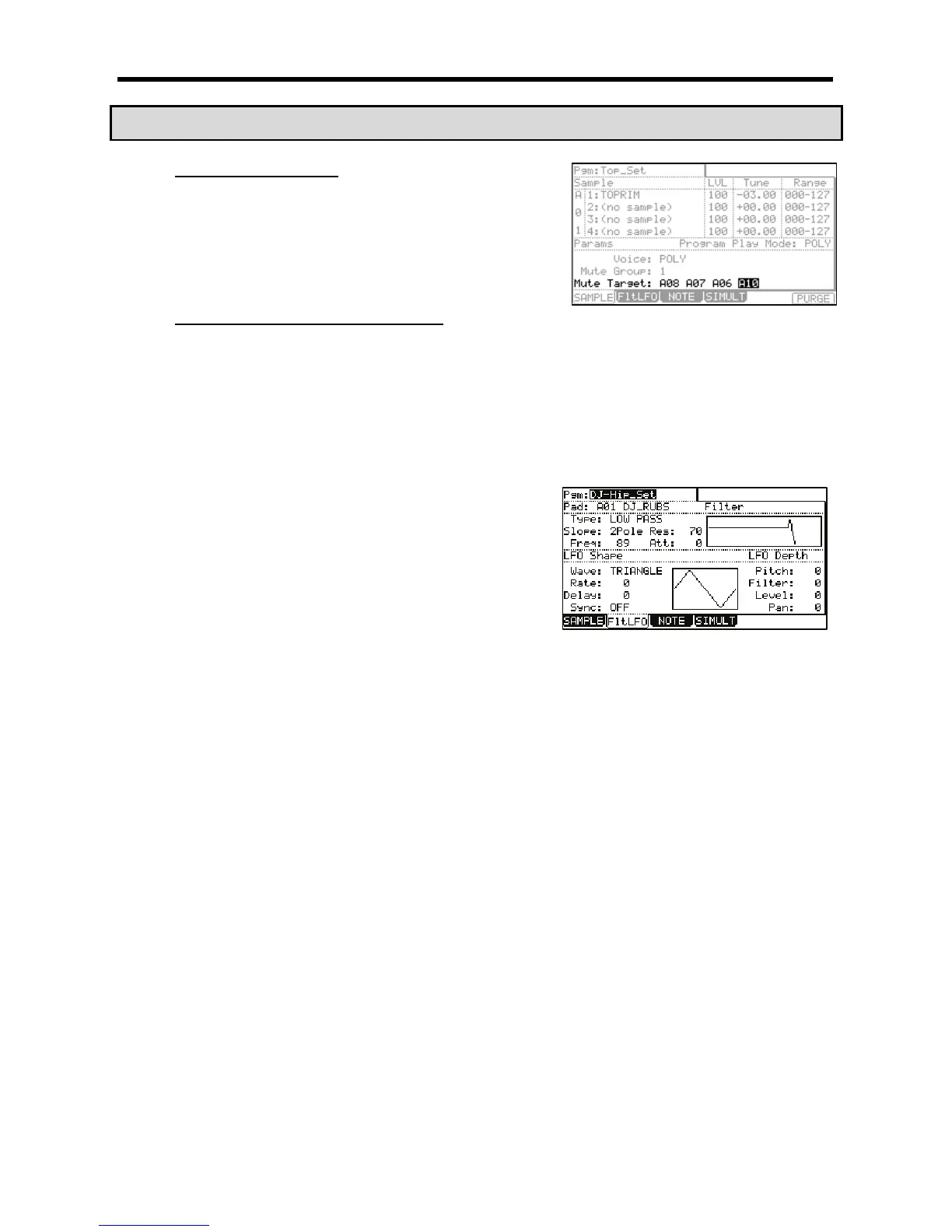
The FltLFO page will be displayed. In the 'Pgm' field, you can select the Program you wish to edit.
@ /
In the 'Pad' field, the selected pad will be displayed.
IG"I/(%D
This field sets the wave for the LFO from TRANGLE, SINE, SQUARE,
SAW, SAW DOWN, or RANDOM.
I"$I/(%
This field sets the cycle (speed) of the LFO.
When the 'Sync' field is set to ON, this setting value is based on the
Beat and Tick. For example, if you wish to set the cycle of the LFO to
one beat of the sequence, you would set this value to '01.00', if you
want to set the cycle to an 1/8 note, set it to '00.48' and so on. The
cycle (speed) will be changed with the tempo of the sequence.
When the 'SYNC' field is set to OFF, the LFO will free run, without syncing to the sequencer.
I5(")I/(%
You can set the delay time (the time before starting the LFO). When 'Sync' is set to ON, this will be displayed in Beat and Tick. For
example, if you wish to start the LFO after one beat from starting from the point of triggering a sample, set it to '01.00'.
When the 'SYNC' field is set to OFF, the 'Delay' field will not sync to the sequencer.
I+)#I/(%
This field sets whether the LFO will sync to the sequencer.
I$#.I/(%9>;
This field sets the amount the LFO will be sent to the pitch of the selected pad, yielding a vibrato-type effect. The lower the value, the
less pitch variation you will get, and vice versa the higher this value, the more pitch variation.
I($I/(%9S;
This field sets the amount the LFO will be sent to the filter cutoff of the selected pad. This will add a sweeping wow sort of effect. The
lower this value, the less the wow becomes, and vice versa.
I(I/(%9S;
This field sets the amount the LFO will be sent to the level of the selected pad, yielding a tremolo sounding effect. The lower this
value, the less tremolo effect and the larger the value, the more tremolo effect.
I"I/(%9S;
This field sets the amount the LFO will be sent to the pan parameter of the selected pad.
The lower this value, the narrower the panning effect, the larger this value, the wider the panning effect will be.


 To Next Page
 Loading...














