EasyManua.ls Logo

Akai MPC 5000 - Page 141

Akai MPC 5000
199 pages
Print Icon
To Next Page IconTo Next Page
To Previous Page IconTo Previous Page
Loading...
=@C
."$.5/"($$'8'$
1#     #      0;0 
        9%#   
%#
 0;0          
#

= 4&;564+;A6)0;02/J1*
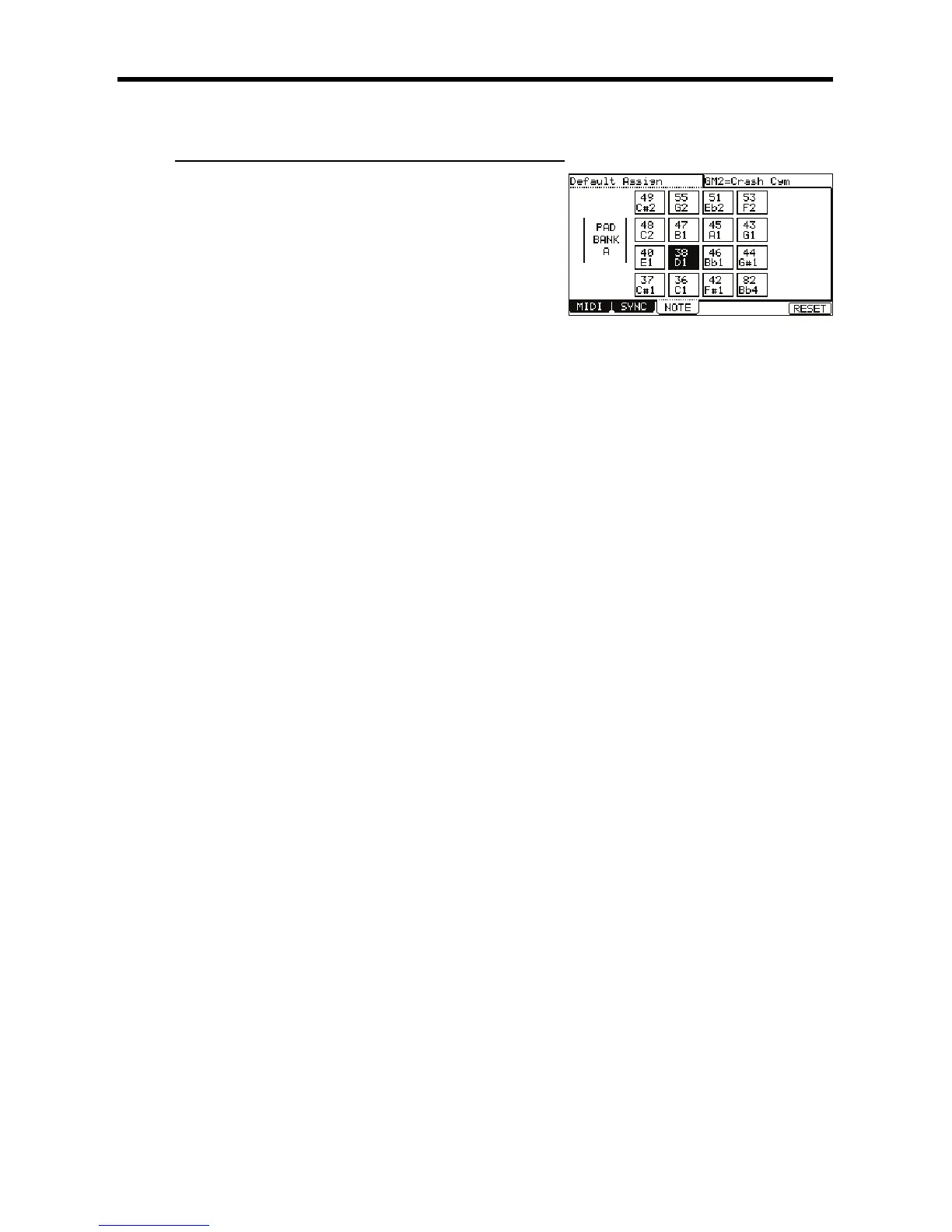
The MIDI/SYNC page is displayed.
@ 4-G6)1&5*
The NOTE page will be displayed.
G /
The note number of the selected pad will be highlighted.
> /4;++6
In the upper right corner of the screen, the MIDI GM standard name of the drum, which represents the selected note number, is displayed.
To reset the setting to the default, press the [F6] (RESET) button. All the notes assigned to the pads will be reset to the default setting.

Other manuals for Akai MPC 5000

Related product manuals