@K
@ 401;&6
The Loop window will be displayed as shown on the right. The MPC5000 will repeat the part you set in the 'First Bar' and 'Last Bar' fields.
If you set END in the 'Last Bar' field, the last bar of the sequence is always the end of the loop. Even if you edit a sequence and change its length,
the last bar of the sequence is still the end of the loop.
The 'Total Bars' field displays the length of the bars to loop. The 'Last Bar' field and the Total Bars' field work together. Changing the value in the
'Last Bar' field also changes the value in the Number 'Total Bars' field.
G 4->6)I&/5*
This closes the window and goes back to MAIN page.
=$%$.+1#$.$'"$#"(()
:#"%,(,+019%#
%,I,&--#".-
.# ,(, @# ,, &--#
4/&6+
4/&6"
?!25C"#5+#%*=
*( &
."$.5/"($+$$
/")###
*
"J%
= 0+01#,I,#,/,,(,
@ /,/",401;&6
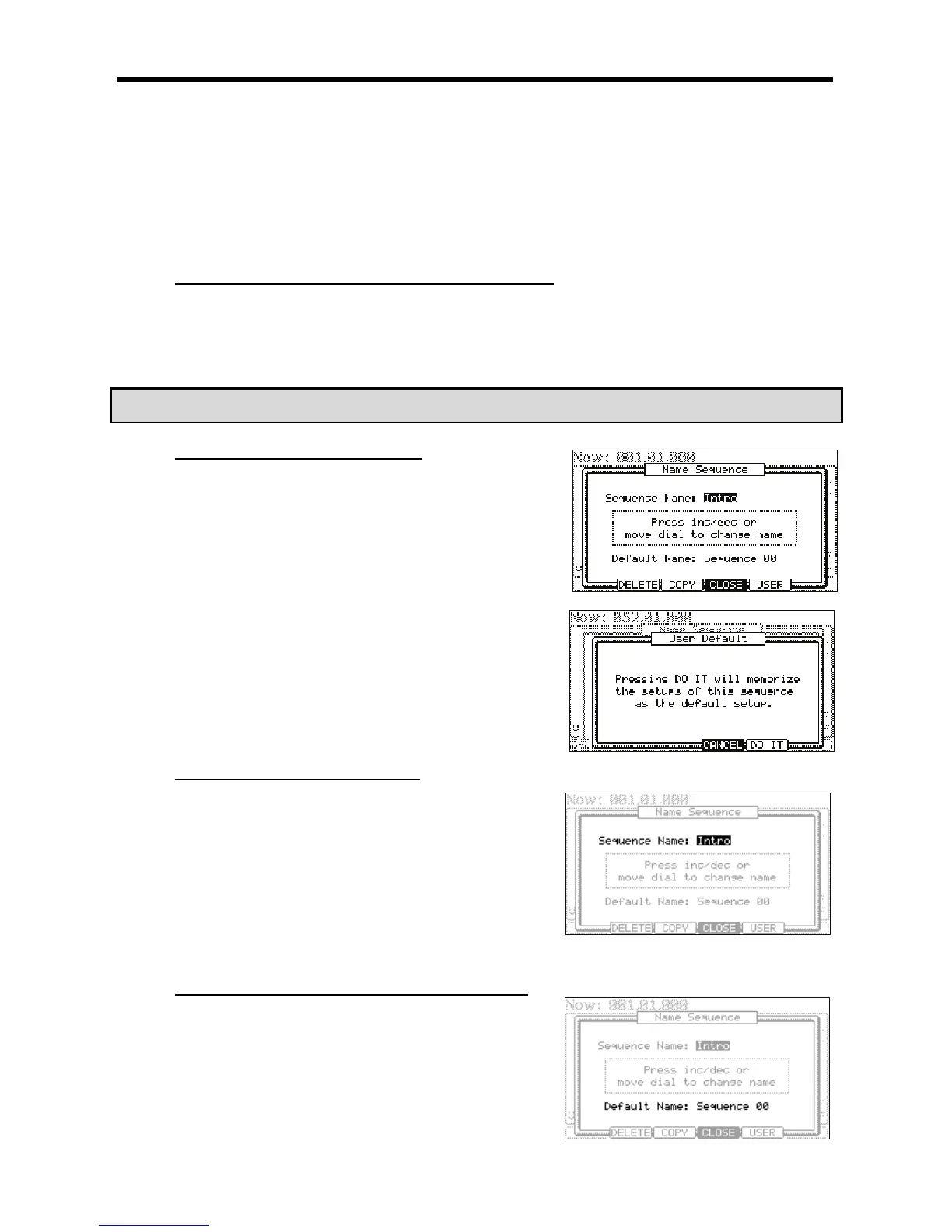
The NAME SEQUENCE window will be displayed as shown.
G 4-6):/57*
The USER DEFAULT window will be displayed as shown.
> 4-6);&0*
The values currently set in the 'Loop', 'Time Sig' and 'Bars' fields in the MAIN page
will be saved as default. The next time you create a new sequence these values will
be applied to it.
."$.+1#"'
= 0,/",+01#"
@ 401;&6
The NAME SEQUENCE windows will open.
G 0,/",#
For more information for setting the name, see the 'Setting the name' section on
Page 18.
> 4->6)I&/5*
This will close the window and goes back to MAIN page.
."$.5/"($"'/"+1#
:# "#
,/"MM )MM " *,
J
= 0+01#,/",
@ 401;&6
The NAME SEQUENCE window will be displayed.





 To Next Page