EasyManua.ls Logo

Akai MPC 5000 - Page 75

Akai MPC 5000
199 pages
Print Icon
To Next Page IconTo Next Page
To Previous Page IconTo Previous Page
Loading...
."$,D 55%
+9;7:475&7;016#49&1&
016#  4/2;0- 016 !      #    #   %# % # %
'!Q:
/9;%#7+#
L9;%,9;%J
 9;#  #. 

+9;/
9;#
= 4&;564+;=B6)9;75&7;*9;75

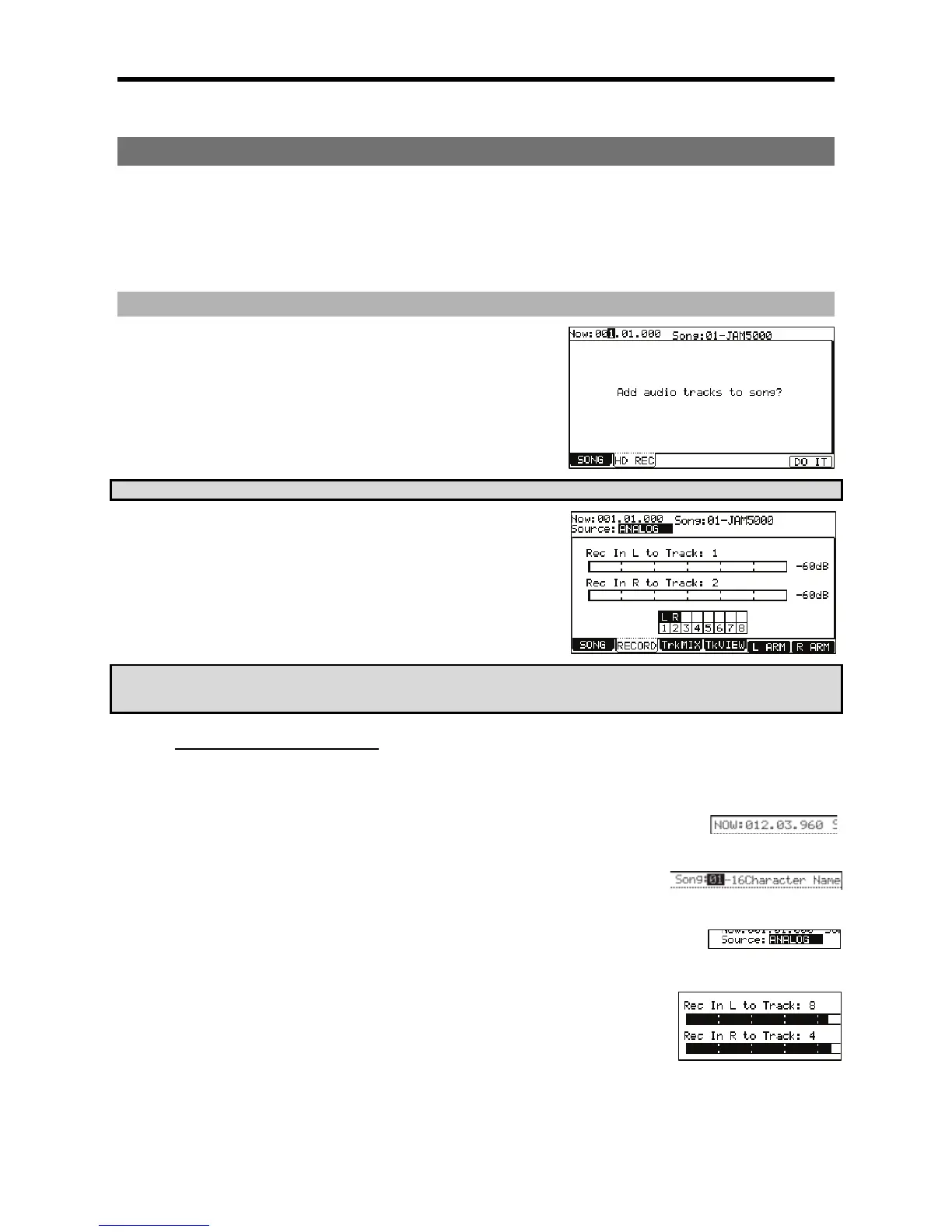
The following page will be displayed as shown. Here, you can select whether you
would like to add audio tracks to the current song.
"$-B!*I%9,4+);&
@ /9;
,/,
See page 55 for more information on SONG mode.
G 4-B6);&0*
This will add audio tracks to the current song, and the screen will be displayed as
shown on the right. For recording audio tracks, see the next section.
                    
      '           & #  
''&.'&
8$$.5"
#
%

This is a display of time. This is the same as the 'Now' field on the MAIN page.
+
This is where the name of the current song is displayed. Pressing the [WINDOW] button on
this page will allow you to rename the song. For more on naming, see page 18.
+#
This parameter selects whether the recording tracks will use the analog [RECORD IN] jacks, or the
[DIGITAL] S/PDIF input as a source. You can also resample the MAIN OUTS, or resample any pair of
ASSIGNABLE MIX OUTS.
#63$&"#
Each of these settings determine which Hard Disk track will be recorded to for each input. Any
of the eight tracks are available for recording.
($
These meters display the input level of the left and right inputs. When the source is set to
analog, the overall input level can be adjusted using the [REC GAIN] knob.

Other manuals for Akai MPC 5000

Related product manuals