EasyManua.ls Logo

Akai MPC 5000 - Page 91

Akai MPC 5000
199 pages
Print Icon
To Next Page IconTo Next Page
To Previous Page IconTo Previous Page
Loading...
."$D 6A%
0#.00F57#%
0F57#4&;56
4+;C6)0F57*
#
+"'("' +)$."'
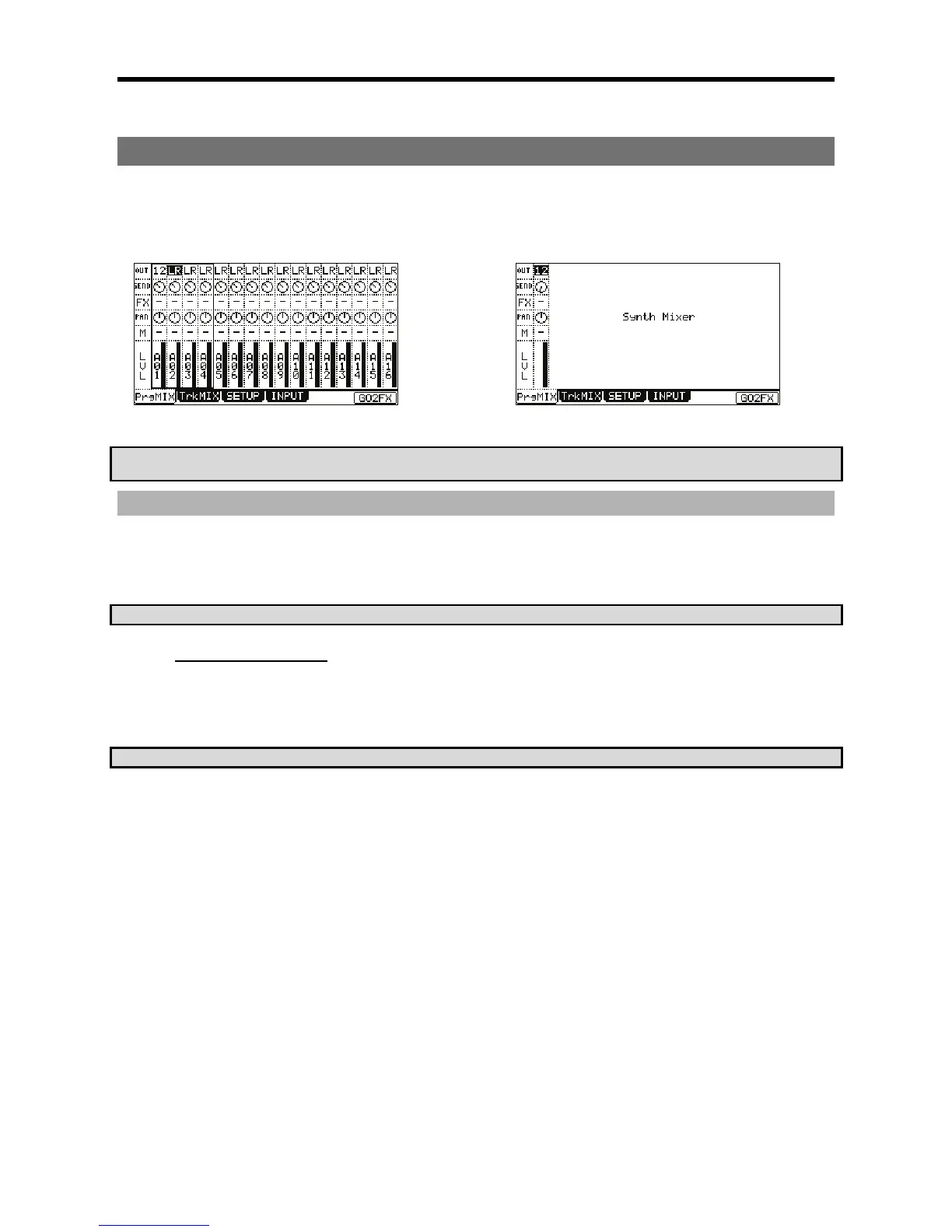
Each pad is assignable to a different output bus and effects
bus, and can have its own level and pan settings.
Since synth programs are assigned chromatically across the
pads, each parameter is globally assigned.
 *//
'&
.
A).*5"
   +# / %  %      
%#9#/,
 % .#  # .# 
%
)'!?-4$?%&
+$$$.$$
= 00F57#4-=6).*
The PrgMix page will be displayed.
Each column indicates pad 1 though 16 from the left and the currently selected pad is highlighted. The row at the top is the 'OUT' field, where you
where you will assign a specific pad to a specific assignable output.
4!54(5-J%&
@ 9
The column for the selected pad will now be highlighted.
G /&:
You can use the [CURSOR] buttons to move to each field in MIXER mode, and you can adjust each level with the [DATA] wheel. The following
choices are available:
+&
The pad will be output to the stereo out.
30
The pad will be output stereo to [ASSIGNABLE MIX OUT] 1/2.
*32
The pad will be output stereo to [ASSIGNABLE MIX OUT] 3/4.
34
The pad will be output stereo to [ASSIGNABLE MIX OUT] 5/6.
73,
The pad will be output stereo to [ASSIGNABLE MIX OUT] 7/8.

Other manuals for Akai MPC 5000

Related product manuals