Getting to know your SIM Free Alba
You’ll be up and running in no time
Getting to know your phone
25
Troubleshooting section of these instructions, or online at www.argos-support.co.uk If you still require further assistance, call one of our
experts on 0207 744 0346.
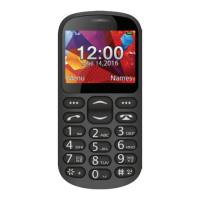
1. Volume keys
2. Torch switch: slide to turn on/o
3. Torch
4. Phone speaker
5. Left/Right soft key: press to perform
the function currently displayed in the
bottom left/right corner of the screen
6. Dial key: answer all calls, make calls
from SIM1/SIM2 card, view call logs in
standby mode.
7. Navigation key: within a menu, press
Up, Down to scroll through menu options.
8. End/Power key: press and hold to turn
on/o the device, end a call or reject an
incoming call, return to the standby mode.
9. * Key: press to popup the symbols
screen when entering text.
10. 0 Key: press to enter Space when
editing text
11. # Key: in standby mode, Long press #
key can switch between the silent mode
and General mode. Press to switch the
input methods when entering text.
12. Camera
13. SOS key: press to make an emergency
call
14. Headset jack
15. Dock connector: to link the devic to
the dock station.
16. Micro-USB port: to charge your device
or connect it to a PC.
17. Lock switch: slide to lock/unlock your
device
18. Radio switch: slide to turn on/o the
radio.


 To Next Page