EasyManua.ls Logo

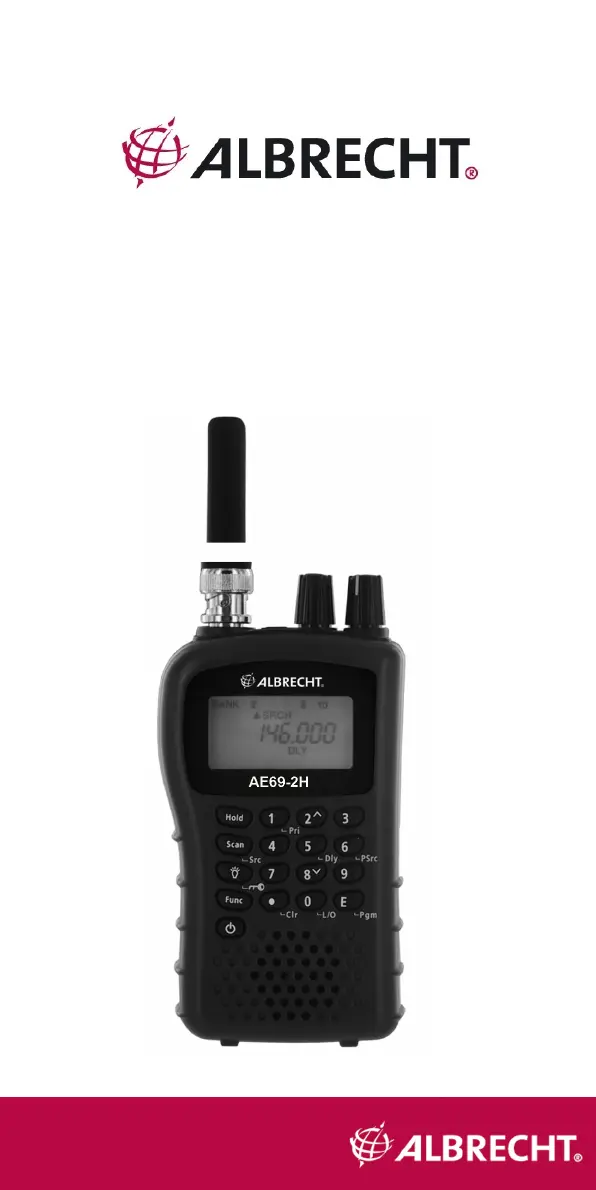
Albrecht AE69-2H - User Manual

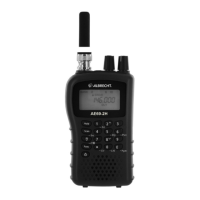
Albrecht AE69-2H
28 pages
Print Icon
To Next Page IconTo Next Page
Loading...
1
AE69-2H
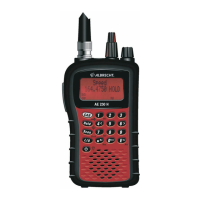
Scanning Receiver

Questions and Answers

  • S
    Susan WhiteAug 7, 2025
    What to do if Albrecht Receiver scan won’t start?
    • S
      Sheila CarterAug 7, 2025
      If the Albrecht Receiver scan won’t start, make sure you have pressed the Scan button. Also, the squelch threshold might need adjustment, so adjust the squelch. Another reason could be that one or more channels are locked out, so ensure that the channels you want to scan are not locked out. Finally, check the antenna connection, as the antenna might need adjustment.
  • J
    Jamie CarterAug 12, 2025
    What to do if Albrecht AE69-2H scan won’t stop?
    • P
      Philip JordanAug 12, 2025
      If the Albrecht Receiver scan won’t stop, adjust the squelch threshold. Check the antenna connection. Ensure that the channels you want to scan are not locked out. Make sure the channel’s frequency is stored in the scanner’s memory. Also, wait for a transmission on the channel, as the channel might not be active.
  • M
    Mary KelleyAug 18, 2025
    How to improve Albrecht AE69-2H reception?
    • L
      Lynn ChavezAug 18, 2025
      If you are experiencing improper reception with your Albrecht Receiver, check the antenna connection, move or reposition the antenna, or move the scanner. You might be in a remote area that could require an optional multi-band antenna.
  • D
    Douglas LopezAug 22, 2025
    Why won't my Albrecht Scanning receiver stop scanning?
    • B
      bradleyamberAug 22, 2025
      There are several reasons why your Albrecht Scanning receiver might not stop scanning: 1. The squelch might need adjustment. Try adjusting the squelch threshold. 2. The antenna might need adjustment. Check the antenna connection. 3. One or more channels might be locked out. Ensure that the channels you want to scan are not locked out. 4. The channel’s frequency might not be stored in memory. Make sure the channel’s frequency is stored in the scanner’s memory. 5. The channel might not be active. Wait for a transmission on the channel.
  • B
    benjamin32Aug 28, 2025
    How to improve reception on my Albrecht Scanning receiver?
    • K
      Kenneth BuckAug 28, 2025
      If you're experiencing improper reception on your Albrecht Scanning receiver, consider the following: * Check the antenna connection, and try moving or repositioning the antenna. * Move the scanner to a different location. * If you are in a remote area, you might need an optional multi-band antenna. Consult your dealer or local electronics store.
  • T
    Tracy LawsonSep 2, 2025
    How to start scan on Albrecht Scanning receiver?
    • S
      Sean BennettSep 2, 2025
      To start scanning with your Albrecht Scanning receiver, simply press the Scan button.

Summary

Precautions

Safety Warning

Caution against exposing the unit to rain or moisture to prevent electrical shock.

Feature Highlights

Understanding Scanning

Setting Up Your Scanner

Using different kind of Internal Batteries

Using Non-Rechargeable Batteries

Using Rechargeable Batteries

Using AC Power

Connecting the Antenna

Connecting an optional or outdoor Antenna

Connecting an Earphone; ext. Speaker

Connecting an Extension Speaker

A Look at the Keypad

A Look at the Display

Operation

Turning the scanner on and setting squelch

Steps to power on the scanner and adjust squelch for audio muting.

Storing known Frequencies into Channels

Detailed procedure for saving frequencies into memory channels.

Scanning the Stored Channels

How to initiate scanning of programmed channels.

Manually Selecting a Channel

Searching for active Frequencies

Frequency Chain Search

Chain Search Mode

Chain Search Hold Mode

Storing Frequencies Found During Chain Search into Channel Memory

Setting the Search Range

Search Skip Memory

Delay

Locking Out Channels

Priority

Using Keylock

Troubleshooting

The scanner doesnt work.

Addresses issues with the scanner not receiving power.

Improper reception.

Helps resolve problems related to poor signal reception.

Scan wont stop.

Solutions for when the scanner does not stop scanning properly.

Scan wont start.

Guidance for when the scanning function fails to initiate.

Resetting the Scanner

Care and Maintenance

Cleaning

Repairs

Specifications

Albrecht AE69-2H Specifications

General IconGeneral
BrandAlbrecht
ModelAE69-2H
CategoryReceiver
LanguageEnglish

Related product manuals