23
International call
To dial an international call, long press
to enter “+”,
then enter the international country prefix followed by
the full phone number and touch
.
Emergency call
If your tablet has network coverage, dial the emergency
number and touch
to make an emergency call. This
works even without a SIM card and without typing the
PIN code.
3.1.2 Answering or rejecting a call
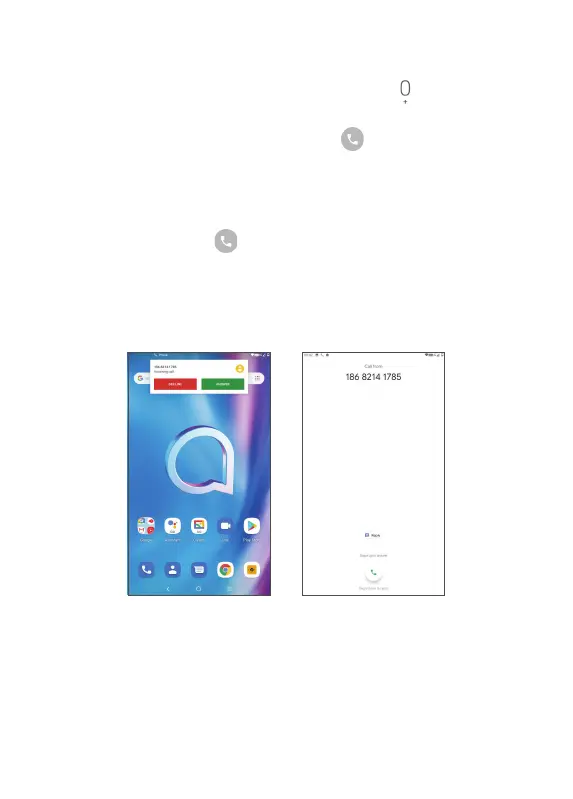
When you receive a call, a call window will be presented
on top of the screen. Touch DECLINE to dismiss a call
or ANSWER to answer a call. Touch the call window to
open the phone call screen.



 To Next Page