2
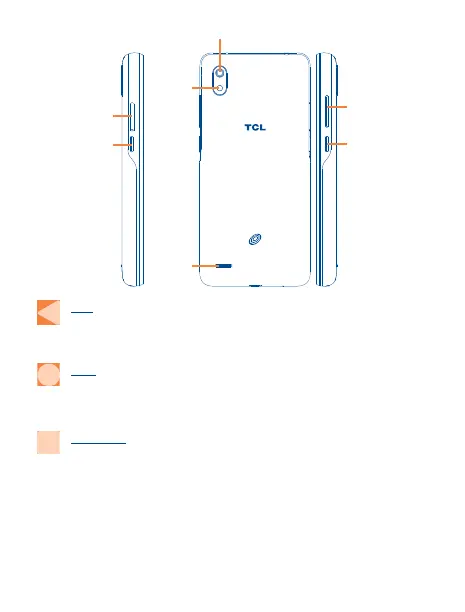
Power key
Volume key
Back camera
Flash
Speaker
Google
Assistant
key
SIM card/
microSD
TM
card slot
Back
• Tap to go back to the previous screen, or to close a dialog box, options menu, the
notification panel, etc.
Home
• From any application or screen, tap to return to the Home screen.
• Touch and hold to activate Google Assistant.
Recent Apps
• Tap to open a thumbnail list of apps you've worked with recently. Tap a thumbnail to
open an app. Swipe right on the screen to remove a specific thumbnail from the list, or
tap Clear All to remove all thumbnails from the list.


 To Next Page
 Loading...