5
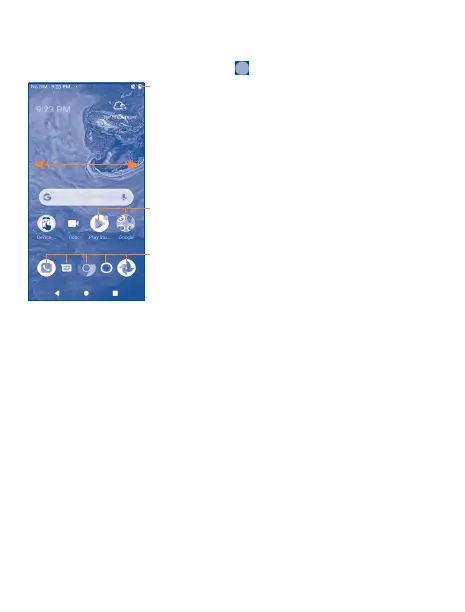
1�3 Home screen
You can bring all of the items (applications, shortcuts, folders and widgets) you use most frequently to
your Home screen for quick access. Tap the Home key to get instant access to the Home screen.
Status bar
• Status/notification indicators
• Drag down to open the Notification panel.
Tap an icon to open an application, folder, etc.
Favorite Applications tray
•Tap to open the application.
•Touch and hold to move or change applications.
The Home screen is provided in an extended format to allow more space for adding applications,
shortcuts, etc. Slide the Home screen horizontally to get a complete view.


 To Next Page
 Loading...