18
MEASURING YOUR TEMPERATURE
1. Press the ON/OFF key once to activate the
thermometer. You will hear a beep and the display
will show 188.8°C for around 2 seconds. If you
continue to press the ON/OFF switch for 2 seconds,
the last temperature measured will be displayed.
2. The thermometer will now display a temperature of
36.5°C.
3. When you see ‘Lo’ and ‘°C’ in the display, the thermo-
meter is ready for use. If the room temperature is
higher than 32.0°C, the room temperature will be
shown instead of ‘Lo’.
4. Place the thermometer in the chosen body part to
measure your temperature.
5. When you hear a beep, your temperature has been
recorded.
• if your body temperature is normal, you will hear
4 beeps
• if your body temperature is above normal
(≥37.5°C), you will hear 8 double beeps.
6. Press the ON/OFF key to switch off the thermome-
ter. (The thermometer will switch off automatically
after approx. 10 minutes).
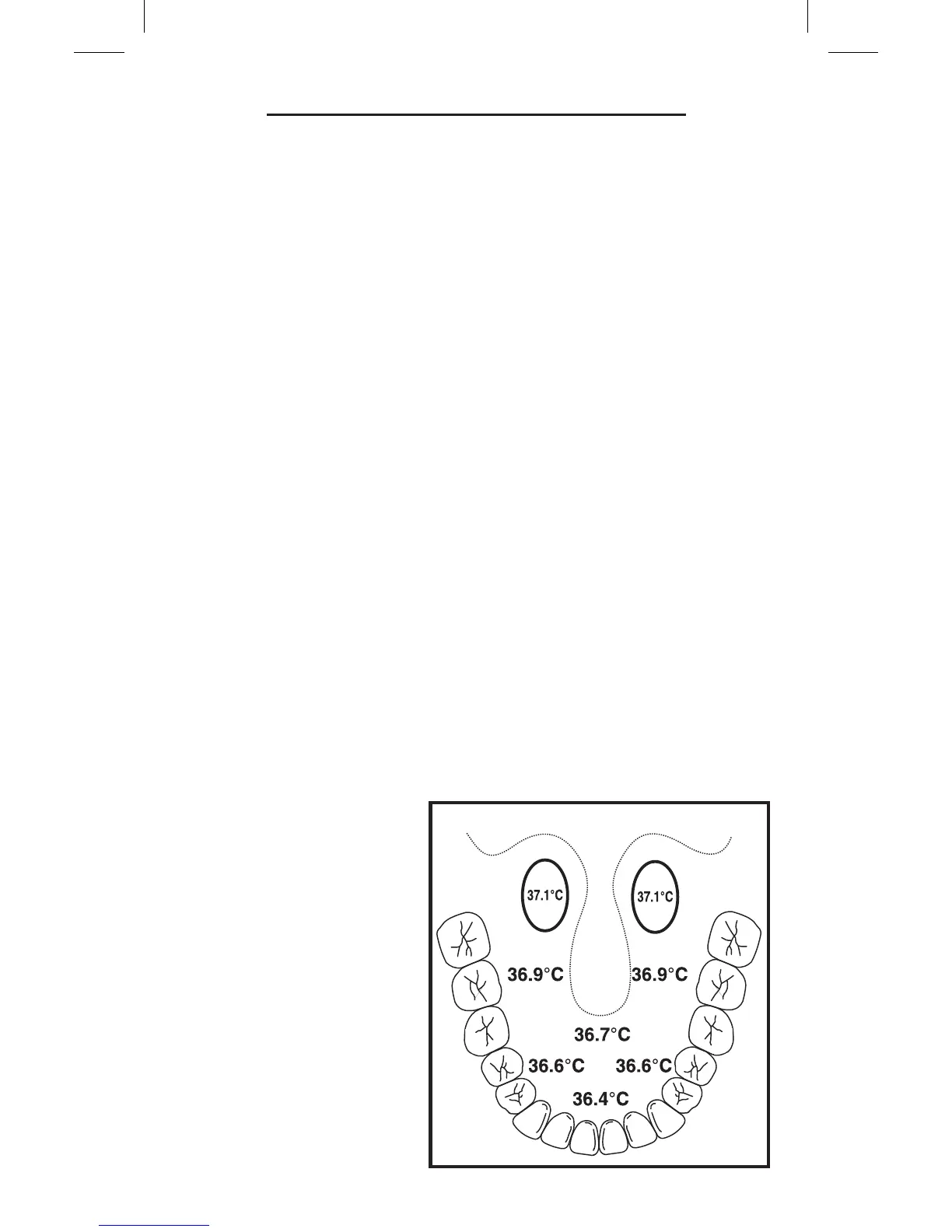
Measurement under the tongue:
Place the thermometer
under the tongue, as
far back as possible
to the left or right.
Measurement takes
approx. 10 to 15
seconds.
A temperature taken
under the tongue is
approx. 0.5°C lower
than when taken
rectally.
TEMPERATURE DIAGRAM



 To Next Page