9
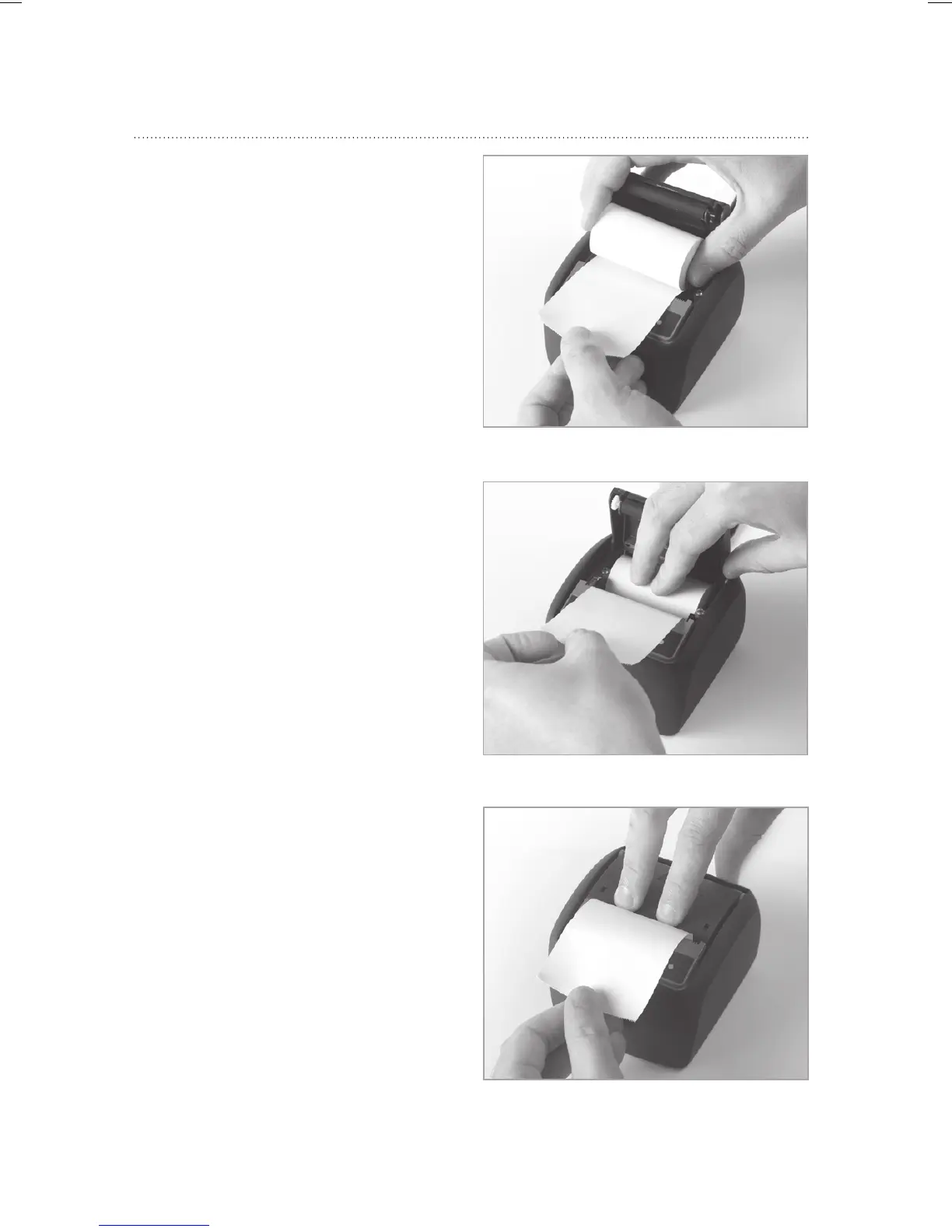
• Unwind approx. 10 cm
of paper from a new roll
and hold the layers tightly
wound. Put the new
paper roll in the paper
compartment, making
sure that the outside is
turned towards the printer
mechanism.
• Make sure to pull the paper
tight before closing the lid.
•
Press on the centre of the
lid until it audibly snaps into
place. The paper can be
torn off at the tear-off edge
without the lid opening up
and without the paper sliding
through the print head.



 To Next Page