EasyManua.ls Logo

Alesis SPITFIRE 15 - Page 3

Alesis SPITFIRE 15
16 pages
Print Icon
To Next Page IconTo Next Page
To Previous Page IconTo Previous Page
Loading...
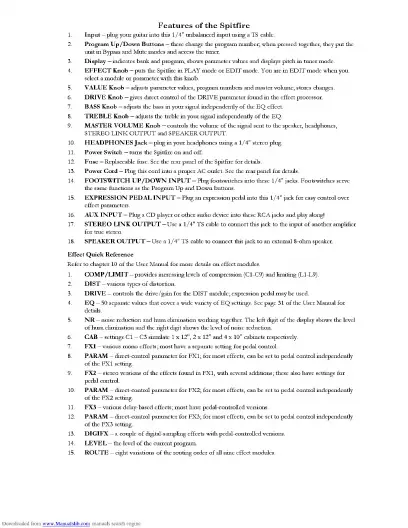
Features
of
the
Spitfire
EFFECT
Knob
puts
the
Spitfire
in
PLAY
mode
or
EDIT
mode.
You
are
in
EDIT
mode
when
y
DRIVE
Knob
-
gives
direct
control
of
the
DRIVE
parameter
found
in
the
effect
processor.
TREBLE
Knob
adjusts
the
treble
in
your
signal
independently
of
the
EQ.
MASTER
VOLUME
Knob
-
controls
the
volume
of
the
signal
sent
to
the
speaker,
headphones,
STEREO
LINK
OUTPUT
and
SPEAKER
OUTPUT.
HEADPHONES
Jack
plugin
your
headphones
using
a
1/4"
stereo
plug.
Power
Switch
-
turns
the
Spitfire
on
and
off.
FOOTSWITCH
UP/DOWN
INPUT
-
Plug
footswitches
into
these
1/4”
jacks.
FX2
stei
PARAM
FX3
-
various
delay-based
effects;
most
have
pedal-
PARAM
DIGIFX
-
a
couple
of
digital-sampling
effects
with
pedal-controlled
versions.
LEVEL
-
the
level
of
the
current
program.

Related product manuals