EasyManua.ls Logo

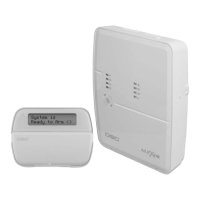
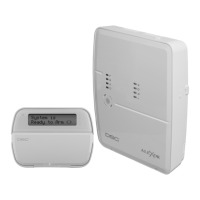
Alexor PC9155-433/868 - User Manual

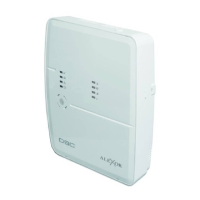
Alexor PC9155-433/868
88 pages
Print Icon
To Next Page IconTo Next Page
Loading...
Models:
PC9155-433/868
PC9155G-433/868
PC9155D-433/868
Used with:
WT5500-433/868
WT5500P-433/868
Series 2-way Wireless Keypad
IMPORTANT: This manual contains information on limitations regarding product use and function and information
on the limitations as to liability of the manufacturer. The entire manual should be carefully read.
v1.0 Installation Guide
2-Way Wireless Security Suite
These DSC Security Alarm
Systems may be connected
to the Telecom Network
PTC 211 / 09 /017 PC9155-433
PTC 211 / 09 /019 PC9155G-433
TELEPERMIT
RN =
0.5
PTC 211 / 09 /018 PC9155D-433
N11427

Table of Contents

Questions and Answers

  • D
    david96Aug 20, 2025
    What to do if the "Panel Response Not Received" message appears on my Alexor Security System keypad?
    • U
      ushieldsAug 20, 2025
      The "Panel Response Not Received" message on your Alexor Security System keypad indicates a loss of wireless communication with the panel. This can sometimes occur due to radio frequency interference. To resolve this: * Perform the placement test and check for radio interference. * Ensure the keypad's ESN is programmed in the panel. * Try re-enrolling the keypad by pressing [1] & [*]. * Verify the keypad model is correct for the panel. * Power cycle the panel and enroll a new keypad to check panel communication.
  • K
    kimberlyreedAug 22, 2025
    How to fix "Failed to Enroll" message on Alexor Security System?
    • M
      markchristensenAug 22, 2025
      The "Failed to Enroll" message on your Alexor Security System keypad means the keypad didn't receive confirmation of successful enrollment. This can happen after pressing [1] & [*] to enroll the keypad. Here’s how to troubleshoot: * Retry the enrollment by pressing [1] & [*] again. * Verify that the keypad's ESN is programmed in the panel. * If using "Quick Enroll" on power up, check that the "Ready" and "Power" indicators are still flashing on the panel. * Check for RF interference. * Confirm the keypad is the correct model for the panel.
  • S
    Steven MartinAug 25, 2025
    Why is the Trouble LED flashing on my Alexor PC9155-433/868 keypad?
    • S
      Shannon CollinsAug 25, 2025
      If your Alexor Security System keypad shows a flashing trouble LED, it means the keypad's batteries are low. Replace the keypad's batteries to resolve this issue.
  • D
    Daniel HillAug 26, 2025
    What does AC Failure mean on my Alexor PC9155-433/868?
    • T
      Tony ThompsonAug 27, 2025
      An AC Failure in your Alexor Security System indicates that there is no AC power at the panel's AC input terminals. To fix this, verify the voltage measured across the AC terminals is between 16-18VAC. If it's not, replace the transformer.
  • J
    Jordan MccartyAug 28, 2025
    Why is my Alexor Security System keypad display blank?
    • K
      Kristina HuntAug 28, 2025
      If your Alexor Security System displays a blank screen and doesn't respond to key presses, it's likely that the keypad battery has discharged too much. To fix this, remove the power and replace the batteries or AC adapter.
  • S
    Sarah WhiteAug 30, 2025
    What causes Telephone Line Trouble on my Alexor PC9155-433/868?
    • N
      Nicholas SmithAug 30, 2025
      A Telephone Line Trouble on your Alexor Security System means the phone line voltage at TIP, RING on the main panel is less than 3VDC. To troubleshoot: Measure the voltage across TIP and RING on the panel: * No phone off-hook – approximately 50VDC. * Any phone off-hook – approximately 5VDC. Wire the incoming line directly to TIP and RING. If the trouble clears, check the wiring or the RJ-31x phone jack.
  • J
    James JonesSep 1, 2025
    What does Low Battery mean on my Alexor PC9155-433/868 Security System and how do I fix it?
    • R
      Renee JordanSep 1, 2025
      A Low Battery message on your Alexor Security System indicates that the main panel battery voltage is less than 11.4V +/- 0.1V. Note that this trouble condition will not clear until the battery voltage reaches 12.5V +/- 0.1V. If the battery is new, allow 24 hours for it to charge. You can also: * Verify the voltage measured across the AC terminals is 16-18 VAC. * Verify the voltage measured across the battery terminals is 12.5V +/- 0.1V. * Replace the transformer if required. * Disconnect and then reconnect the battery leads.
  • D
    Diane TuckerSep 5, 2025
    What does Device Tamper mean on my Alexor PC9155-433/868 and how can I fix it?
    • M
      Michael JonesSep 5, 2025
      A Device Tamper on your Alexor Security System indicates an open circuit on a zone with double end-of-line resistors or a tamper condition on a wireless device. To resolve this: * Remove the wire leads from I/O and AUX- terminals and measure the resistance of the wire leads. * Connect a 5.6K resistor (Green, Blue, Red) across the I/O and AUX- terminals. * Verify the trouble condition clears. * Ensure the device cover is secure. * Ensure the device is correctly mounted for wall tamper operation, violate, then restore the tamper. * If the tamper condition persists, replace the wireless device.
  • R
    rdunnSep 7, 2025
    What does "Hold [1] and [*] to Enroll Keypad" mean on my Alexor Security System?
    • D
      Danielle EdwardsSep 7, 2025
      The message "Hold [1] and [*] to Enroll Keypad" on your Alexor Security System keypad is normal for an unenrolled keypad or if enrollment was unsuccessful. You should enroll the keypad or troubleshoot as described for the "Failed to Enroll" message.
  • G
    Gregory TurnerSep 12, 2025
    What causes General System Tamper on my Alexor PC9155-433/868?
    • P
      Patricia ChaseSep 12, 2025
      A General System Tamper on your Alexor Security System indicates that a cover tamper has been tripped. To resolve this: * Verify that tamper buttons are installed into the backplate and front-plate, and that the frontplate is fully in place. * Verify that the panel is properly secured to the wall with the front cover on.

Summary

Introduction to PC9155 System

PC9155 Model Differences

Details the differences between PC9155 models, including GS2065 and TL265GS modules.

PC9155 Specifications

Outlines the technical specifications like temperature range, power supply, and dimensions.

Controls and Indicators Overview

Describes the status indicators and controls on the alarm panel and keypad.

Data Entry Conventions

Explains conventions for keypad data entry, including bracket usage and special keys.

Installation Guide

Hardware Installation Steps

Step-by-step instructions for physically mounting the alarm panel and connecting components.

Wiring Details and Connections

Details on wiring I/O terminals, zone wiring, PGM outputs, and Aux wiring.

Wireless Device Enrollment Process

Explains how to enroll wireless keypads, sirens, sensors, and keys into the system.

GPRS;Ethernet Module Setup

Instructions for initializing the GPRS/Ethernet module after installation.

System Operation

Operating Modes Explained

Describes system modes like Away Arming, Stay Arming, Night Arming, and Disarming.

Language Selection on Keypad

Procedure for selecting the display language on the system keypad.

System Control Commands [*]

Details on system commands accessed via the [*] key, such as Bypass and Trouble Display.

Function Key Operations

Explains the use of programmable one-touch function keys on the keypad.

System Programming

Template Programming Method

Guide to quickly programming minimum functions for basic system operation.

DLS Programming Options

Details on local and remote programming using DLS software.

Installer Programming Access

Instructions on how to enter and use the Installer Programming mode.

Installer Programming Guide

Index to Programming Options

A comprehensive list of all programming sections and their corresponding page numbers.

Zone Configuration Options

Details on zone definitions, loop response, and zone attributes for system zones.

System Timers and Delays

Configuration of entry/exit delays, bell time-out, and other system timing parameters.

Reporting Codes Setup

Configuration of alarm, restoral, tamper, closing, opening, and maintenance reporting codes.

Communication Setup

Settings for communicator formats, call directions, and communication variables.

Download & Network Configuration

Settings for downloading options, PC-Link, GPRS/Ethernet module setup, and IP addresses.

Wireless Device Configuration

Programming for wireless device serial numbers, keys, keypads, and sirens.

Keypad Programming and Labels

Customization of keypad function keys, labels, and options.

System Testing and Troubleshooting

Wireless Device Placement Test

Procedure for testing the placement and signal strength of wireless devices.

System Testing Procedures

Guides for performing siren/display tests and walk tests for detectors.

Resetting System to Factory Defaults

Instructions for performing soft and hard resets to restore factory default settings.

Troubleshooting Common Issues

Diagnoses and solutions for common system troubles like enrollment failures and communication issues.

Appendix A: Reporting Code Formats

Contact ID Reporting Codes

Lists event codes for Contact ID format, including zone alarms and restorals.

SIA Format Reporting Codes

Lists event codes for SIA format, including zone alarms and restorals.

Appendix B: Communicator Format Options

Communicator Format Options Overview

Explains the programmable options for communicator formats like BPS, DTMF Contact ID, and SIA FSK.

Appendix C: 2-Way Audio Verification

2-way Audio Session Overview

Describes the 2-way audio session, zone violations, and operator controls.

Appendix D: Regulatory Approvals Information

FCC Compliance Statement

Details FCC compliance, including interference, connection requirements, and REN.

Industry Canada Statement

Provides Industry Canada compliance information and technical specifications.

UL;ULC Installation Standards

Outlines UL/ULC listing requirements and installation standards for residential systems.

Alexor PC9155-433/868 Specifications

General IconGeneral
Frequency433/868 MHz
TypeWireless Security System
ModelPC9155-433/868
BrandDSC
Wireless Zones32
Partitions2
Wireless KeypadsUp to 8
Wireless KeysUp to 16
PGM Outputs2
CompatibilityCompatible with DSC wireless devices

Related product manuals