32 | Setting up the monitor
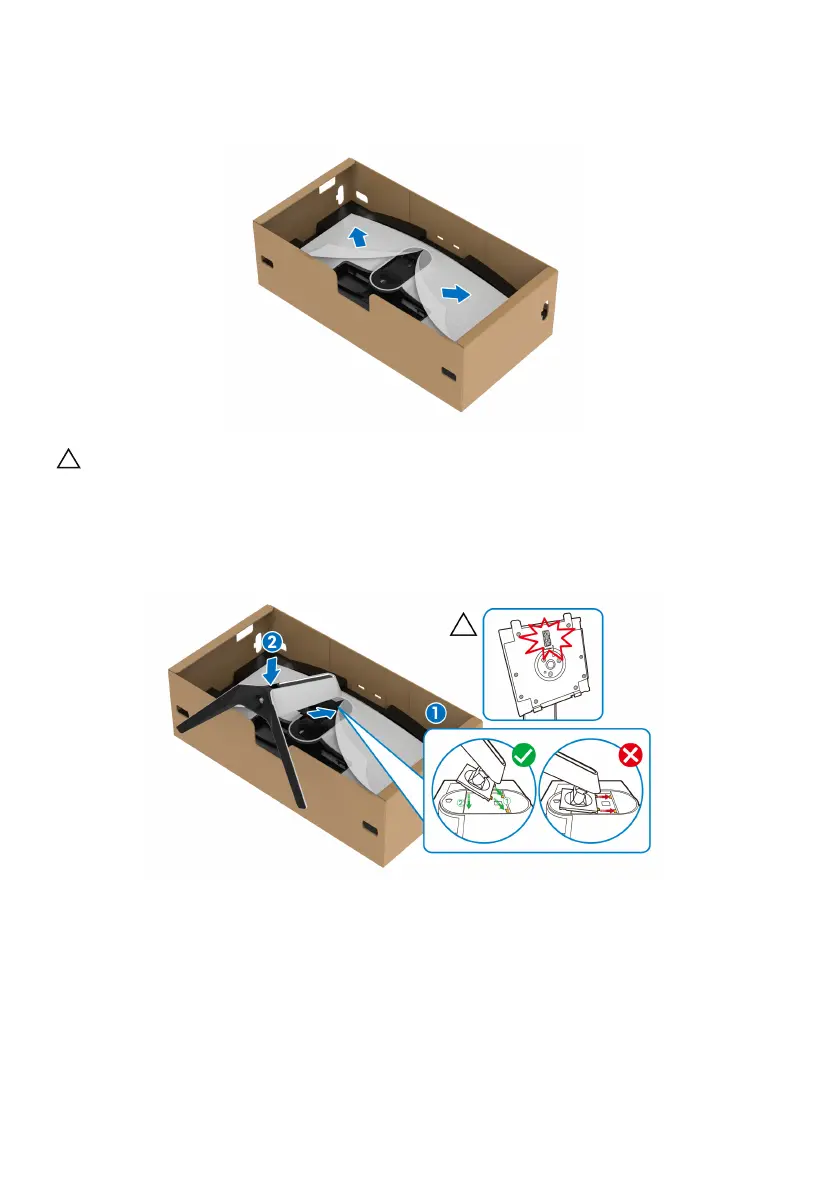
5. Open the protective cover on the monitor to access the VESA slot on the
monitor.
CAUTION: When connecting the stand assembly to the display, do not
plac
e the stand riser directly on the display back panel. Doing so may
damage the pogo pins on the stand due to misalignment.
6. C
arefully insert the tabs on the stand riser into the slots on the display back
cover and lower the stand assembly to snap it into place.















 To Next Page