58 | Using AlienFX application
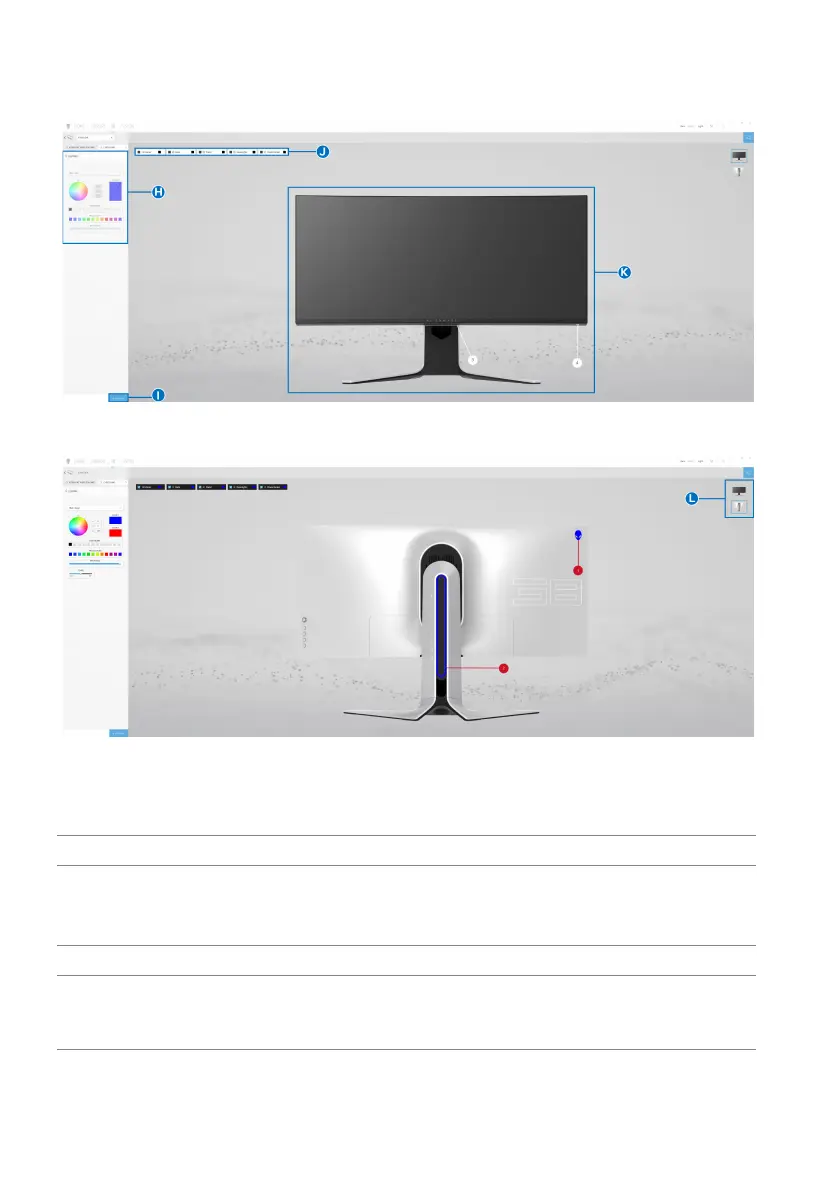
When you start to customize a theme, you should see the following screen:
Screen with the front view of monitor
Screen with the back view of monitor
The following table describes the functi
ons and features on the screen:
No. Functions Descriptions
H LIGHTING panel Use the controls in this panel to set up lighting effects
fo
r a theme.
See Setting lighting effects for details.
I SAVE THEME Click to save all adjustments and changes for the theme.
J Zone selection To make adjustments for a single
zone, click the specific
check box. To make adjustments for all zones, click the
All Zones check box.















 To Next Page