English
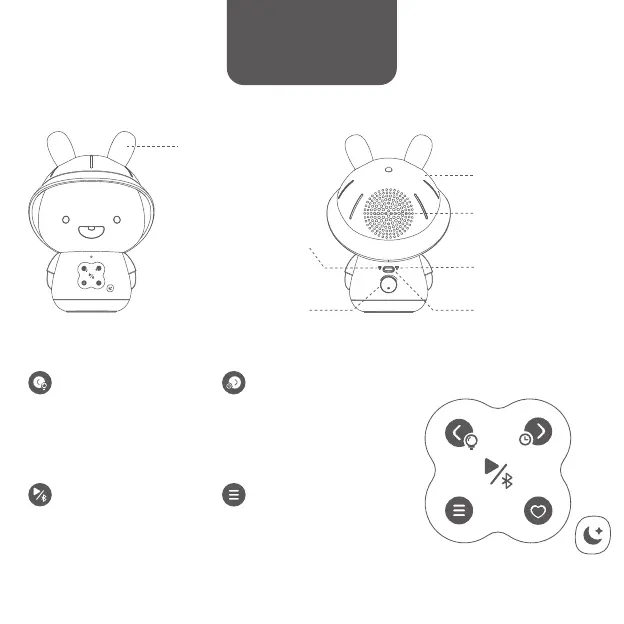
High Quality Speaker
Reset
Power & Volume Control
Press to play / pause.
Press and hold to turn the
Bluetooth on / off.
Play / Pause / Bluetooth
Press to switch to nursery rhymes
or stories.
Menu
Press to play next track.
Press and hold to disable /
enable the auto sleep mode.
Next / Auto Sleep
Color Changing LED
Night Light
Ears light up with
seven colors
Soft Silicone Hat
USB Type-C Port
Power charging /
Update
Press to play previous track.
Press and hold to turn the
night light on / off.
Previous / Night Light
Charging Indicator
Red indicator lights stays lit
when charging and turns
off when fully charged
Directions for use



 To Next Page