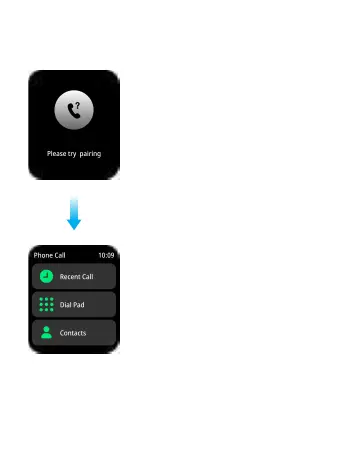
Call Bluetooth connection
Turn on the Smartwatch, and the “N27”
Bluetooth pairing will pop up automatically
in your phone. Please tap "Pairing" to
establish the connection. When Bluetooth
is connected to your phone, you can
use the watch to dial, control the mobile
phone to make a call, listen to music,
and view the call record information on
the watch.
Phone Call function
Add contacts:
Open Dafit from your phone to tap
“Favorite Contacts” → "Add quick
newsletter". You can add up to 8
contacts.
09
16



 To Next Page