54 Rockwell Automation Publication 440R-UM013E-EN-P - March 2017
Chapter 9 Application and Wiring Examples
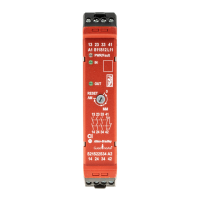
Figure 43 shows a CI safety relay monitoring a light curtain with two OSSD
outputs. The CI safety relay is set to automatic/manual reset (AM). The
auxiliary signal (terminals 41/41) informs the PLC that the safety system is
OFF or ON. The CI outputs connect to AC voltage loads. When the CI safety
relay is ON, the PLC can then turn on the K1 and K2 contactors.
Figure 43 - With Device Using OSSD Outputs, Automatic Reset, AC Load Voltage
DI Safety Relay
(Cat.No.440R-D22R2)
The DI safety relay in Figure 44 monitors two devices having mechanical
contacts and is set for monitored manual reset. With the two devices closed,
the operator presses the reset button to energize contactors K1 and K2. The DI
safety relay verifies that contactors K1 and K2 are off by monitoring the
mechanically linked normally closed contacts in the reset circuit. When the DI
safety relay is off, the auxiliary signal at terminal Y32 turns on and reports the
status to a PLC.
Figure 44 - With Two Devices with Mechanical Contacts and Monitored Manual Reset
S11
S12
S21
S22
S34 A1 13
L11A2 14
23
24
33 41
34 42
CI
440R-S13R2
RESET
0
MM
AM
K1
24V DC
L1
120/240V AC
N
24V Com
K2
K1 K2
Input
PLC
Output
OSSD1
OSSD2
A1
S11 S21 S12S22
S32 L11 Y32L12
13
14S42
23
24
S34
A2
DI
440R-D22R2
0
1
2
3
4
56
7
8
LOGIC
K1
24V DC
24V Com
K2
Reset
To PLC
K1 K2


 To Next Page
 Loading...