12
Activating the Stick Reader
With the Battery Pack fully charged and installed, or with the AC Adapter connected
by means of the Data/Power Cable, the Stick Reader is ready to be used. To turn on
the Stick Reader, press the green READ button, holding it down until the red and
green indicators light and extinguish (this is about ¼ second duration).
Note 7 - Very brief presses of the READ button will cause the
indicators to light, but will not be sufficiently long to latch the Stick
Reader into its power on state. Be sure to hold the READ button down.
When the Stick Reader is powered up, the LCD readout appears as shown below:
0000 READY TO
READ
This power-on message indicates that the Stick Reader's internal ID code memory has
been cleared and that the Stick Reader is ready to read new tags. If the reader has
been previously used and ID codes are stored in memory, the LCD readout will be as
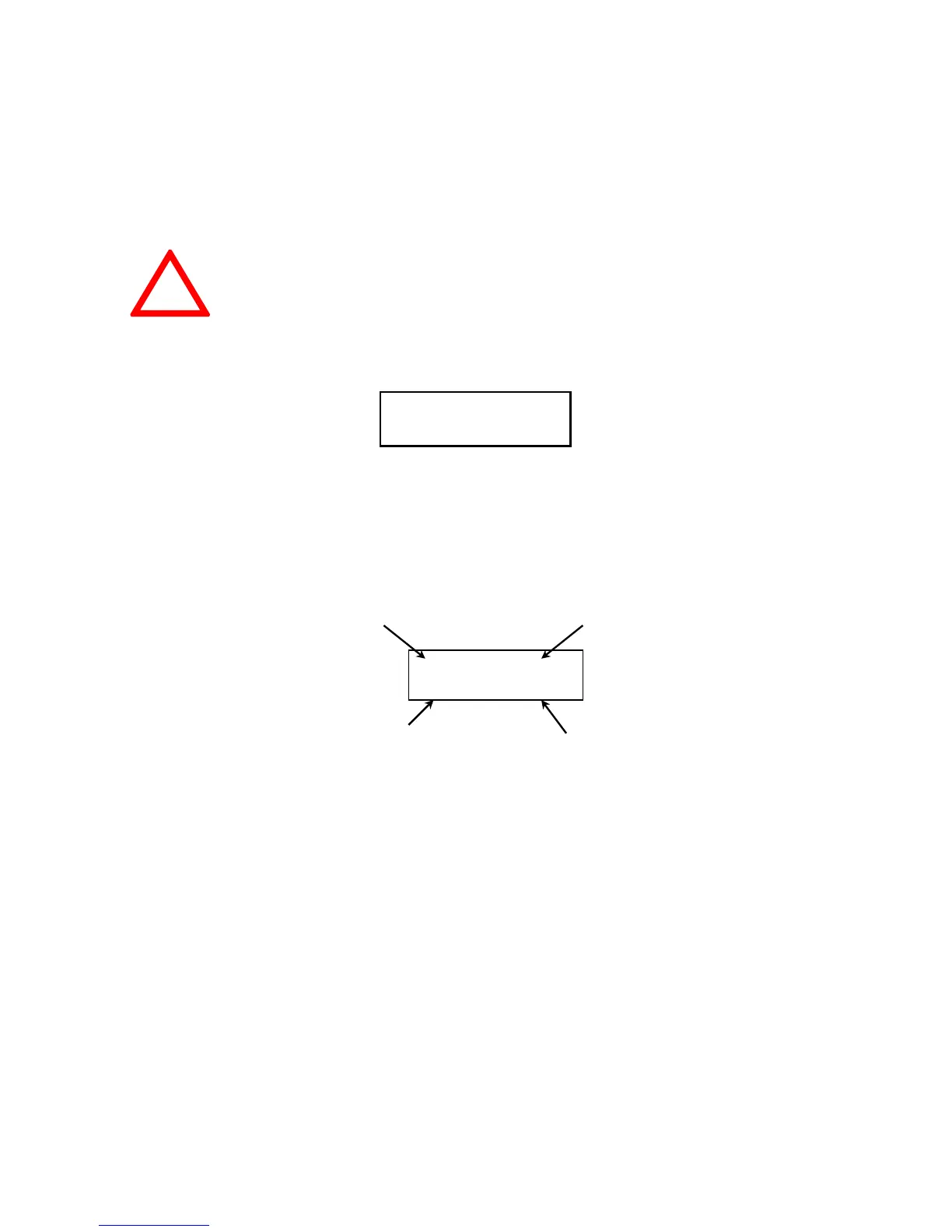
follows:
HDX ISO: indicates standard ISO Half Duplex cattle.
982 corresponds to Allflex manufacturer code.
0002 HDX ISO:
982 000000000001
Tag counter
Tag type
ID code
Manufacturer /
Country Code
!



 To Next Page