SETTINGS
A
NTENNA
2
1
Rotate and let the antenna stand up
when operating.
E
XTERNAL
P
OWER
T
ERMINAL
2
2
Connect the optional EDH-18 or an
external regulated 5.5 VDC source
(negative ground).
E
XTERNAL
M
ICROPHONE
J
ACK
2
3
Connect to this jack when using an
optional microphone.
E
XTERNAL
S
PEAKER
J
ACK
2
4
Connect to this jack when using an
optional speaker.
PTT
2
5
Press-to-talk switch.
M
ONITOR
2
6
Press this switch to unmute the preset
squelch and monitor weak signals.
Press and hold the F-key and press this
key to lock/unlock the keys to avoid
unintended key entries. ("L" is dis-
played during the keylock.)
F
UNCTION
(F)2
7
Press and hold this key and press an-
other key to activate this secondary
function. Press and release this key
quickly to change the blinking fre-
quency digit: the blinking digit can be
changed with the UP/DOWN key.
1
2
3
4
5
6
7
8
9
10
11
12
17
16
15
14
13
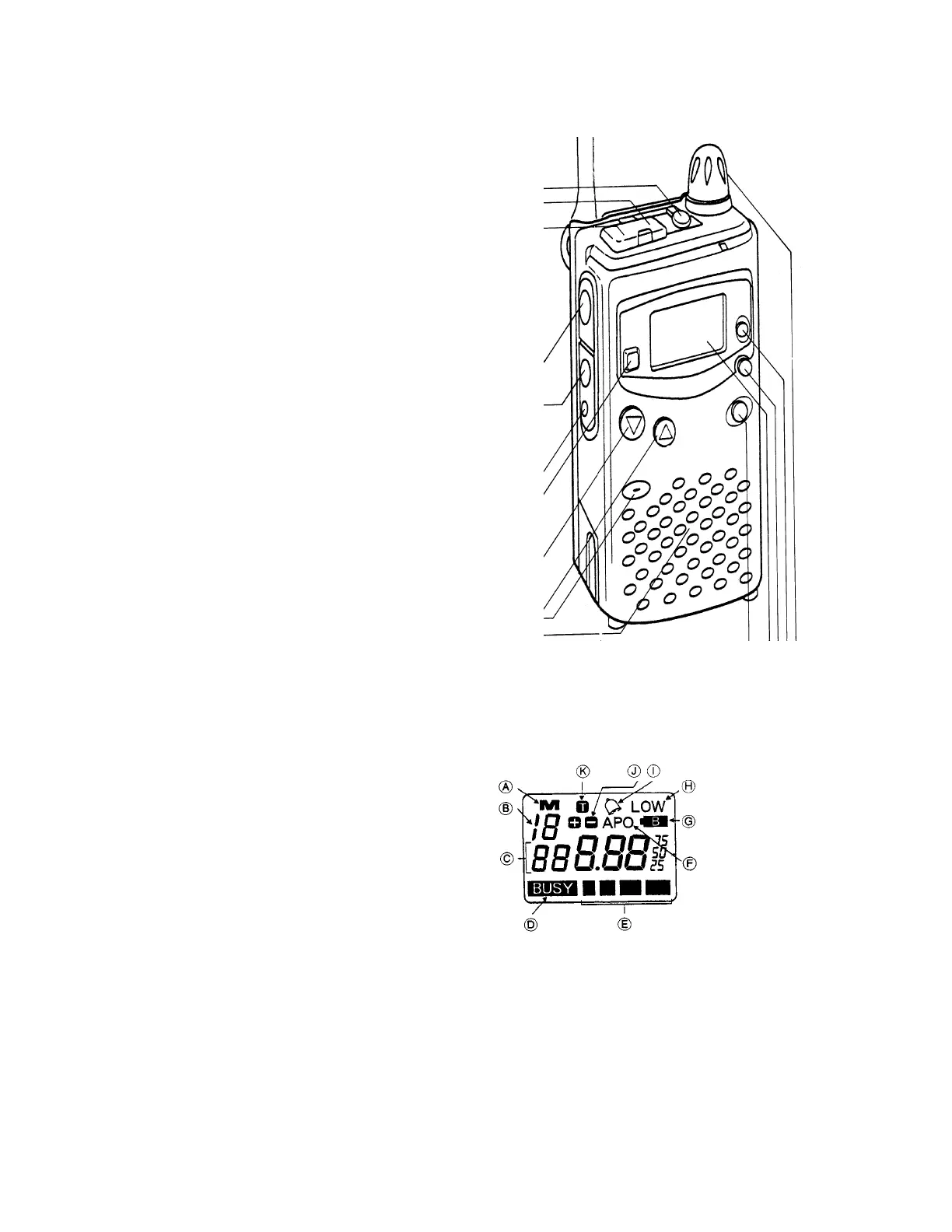
A) "M" is displayed continuously on a programmed
memory channel. The "M" flashes on a memory channel
not yet programed.
B) Memory channel number.
C) Frequency (and other
parameters when program-
ming functions.)
D) "BUSY" when upon re-
ceiving a signal.
E) S-meter/RF output power
meter.
F)Auto Power Off enabled.
G) Low Battery
Indication.(Flashes when
needs replacement or change,)
H) Low Power Output mode indicator.
I} Alarm function ON.
J) Other shift direction.
K) CTCSS tone encoder ON.



 To Next Page
 Loading...