Need help?
Do you have a question about the ALONEFIRE X004 and is the answer not in the manual?
The X004 4-in-1 Flashlight is a versatile illumination tool designed for various applications, offering multiple light colors and convenient charging options. This user manual provides comprehensive instructions on how to set up, operate, and maintain your flashlight to ensure optimal performance and longevity.
The primary function of the X004 is to provide portable illumination. What sets it apart is its ability to emit light in four different colors: blue, green, white, and red. This multi-color capability makes it suitable for a wide range of uses, from general lighting to specialized tasks where specific light colors are beneficial. For instance, red light can be useful for preserving night vision, while green light might be preferred for certain outdoor activities or hunting to avoid startling animals. White light serves as a standard, bright illumination for everyday needs, and blue light can have specific applications, such as detecting certain substances or for signaling.
The flashlight is designed for ease of use, featuring a simple on/off mechanism and a straightforward method for cycling through the different light colors. Its robust construction ensures durability, making it a reliable tool for both indoor and outdoor environments. The inclusion of a rechargeable battery and a USB charging system emphasizes its convenience and eco-friendliness, reducing the need for disposable batteries.
To begin using your X004 flashlight, the first step involves installing the battery. The package typically includes an 18650 rechargeable battery, an 18650 battery holder, and an AAA battery holder (though AAA batteries are not included). It's crucial to remove any insulation film from the battery before its initial use. When installing the 18650 battery, ensure the positive (+) end goes in first, with the negative (-) end positioned closer to the power switch. This correct polarity is essential for the flashlight to function properly. If you opt to use AAA batteries, you would place them into the AAA battery holder first, and then insert the holder into the flashlight, again observing the correct polarity.
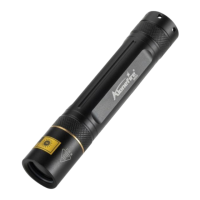
Once the battery is correctly installed, operating the flashlight is simple. To turn the flashlight on or off, you need to press the red button located at the rear of the device heavily. This firm press ensures a clear activation or deactivation of the light. When the flashlight is on, you can change the light color by gently pressing the same red button. Each gentle press will cycle through the four available colors: blue, green, white, and red, allowing you to select the appropriate illumination for your needs. This intuitive control scheme makes it easy to switch between colors quickly and efficiently, even in low-light conditions.
The X004 flashlight is designed to be portable and easy to handle, fitting comfortably in your hand or pocket. Its robust design suggests it can withstand typical outdoor conditions, making it a suitable companion for camping, hiking, emergency situations, or everyday tasks around the house. The inclusion of both 18650 and AAA battery compatibility provides flexibility, allowing users to choose their preferred power source or use what is readily available.
Maintaining your X004 flashlight primarily revolves around its power source: the rechargeable battery. The flashlight comes with a USB battery charger, which is designed for convenience and versatility. To charge the included 18650 rechargeable battery, simply insert it into the USB charger. The charger features an indicator light that communicates the charging status. When the battery is charging, the indicator light will typically glow red. Once the battery is fully charged, the indicator light will change to green, signaling that it's ready for use.
The USB charger offers multiple charging options, enhancing its practicality. You can connect the charger to various power sources, including a computer's USB port, a power bank, a car charger, or a standard USB power adapter. This flexibility ensures that you can recharge your battery almost anywhere, whether you're at home, in your vehicle, or on the go. Regular charging of the battery as needed will ensure your flashlight is always ready for use.
Beyond battery maintenance, general care for the flashlight involves keeping it clean and dry. While the manual does not explicitly detail water resistance, it's generally good practice to protect electronic devices from excessive moisture. If the flashlight becomes dirty, gently wipe it with a soft, dry cloth. Avoid using harsh chemicals or abrasive materials, as these could damage the finish or internal components.
The manual also includes a "CAUTION: HOT SURFACE" warning and "AVOID EYE CONTACT LIGHT" on the flashlight itself. These are important safety reminders. The flashlight head can become warm during prolonged use, so it's advisable to handle it with care. Additionally, the light emitted by the flashlight, especially the brighter white light, can be intense. Direct eye exposure should be avoided to prevent temporary discomfort or potential eye strain.
By following these simple usage and maintenance guidelines, you can ensure your X004 4-in-1 Flashlight remains a reliable and effective tool for all your illumination needs. The thoughtful design, multi-color functionality, and convenient charging options make it a valuable addition to any toolkit or emergency kit.
 General
| Brand | ALONEFIRE |
|---|---|
| Model | X004 |
| Light Source | LED |
| Material | Aluminum Alloy |
| Zoomable | Yes |
| Waterproof | Yes |
| Waterproof Rating | IPX6 |
| Max Output | 1000 lumens |
| Battery Configuration | 1 x 18650 |
| Modes | High, Medium, Low, Strobe, SOS |
| Beam Distance | 200 meters |

 To Next Page