show 99 and not the fault that caused the original problem.
Here are instructions for setting up HyperTerm that is built into
Windows for the communications. It can also be downloaded
from our website on the DOWNLOADS page.
------------------------------------------------------
To find out what the status of the amplifier is, you need to use
a modem communications program (such as Hyperterm or
RealTerm).
Download RealTerm from http://realterm.sourceforge.net/ .
Install RealTerm and it will open a window for a new
connection. Select Bps-4800, Data bits-8, Parity-NONE, Stop
bits-1, Flow control-NONE.
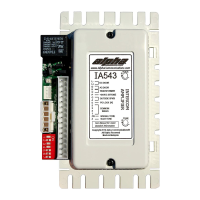
Plug in the amp (power off) and it should be communicating
with the computer. Type VER and press the Enter key. The 87A
should respond with the firmware version number.
*************************************
ATTENTION ATTENTION !!!!!!!!!!!!!!
*************************************
If you see garble (or nothing) you will need to remove pin 22 of
the 25-pin end of the cable (the 87A end). It is used to set the
baudrate of the amplifier. Page 19 of the 87A manual has a
complete explanation of the communications connections.
*************************************
When it is communicating OK, type SF and HF to display the
Soft Fault and Hard Fault logs (press Enter key after each
command). Save the result of those commands.


 To Previous Page