ALPHA NEO pTROUBLESHOOTING 3
ALPHA SUPPORT PHONE (02) 4355 4775
The light is breathing/pulsing magenta (red/blue)
Something went wrong during the firmware update and the Smart Controller entered safe mode. Press once
the "R" button on the back of the Smart Controller to reboot it. It should start blinking magenta, indicating that
the firmware update has started progress. Please read the topic "The light is blinking magenta" to know more
about this.
The light is blinking magenta (red/blue)
A firmware update is in progress. This process normally takes up to 5 minutes to complete. Do not turn off
power to the Smart Controller during this time. After the update is complete, the Smart Controller will come
back online automatically. You can visually confirm by looking at the light, which will be breathing/pulsing cyan.
The app will also indicate that Smart Controller is online. If the app still says that the Smart Controller is offline,
go to the "Your Controllers" page and tap
on the refresh icon in right upper corner
to update the Smart Controller status.
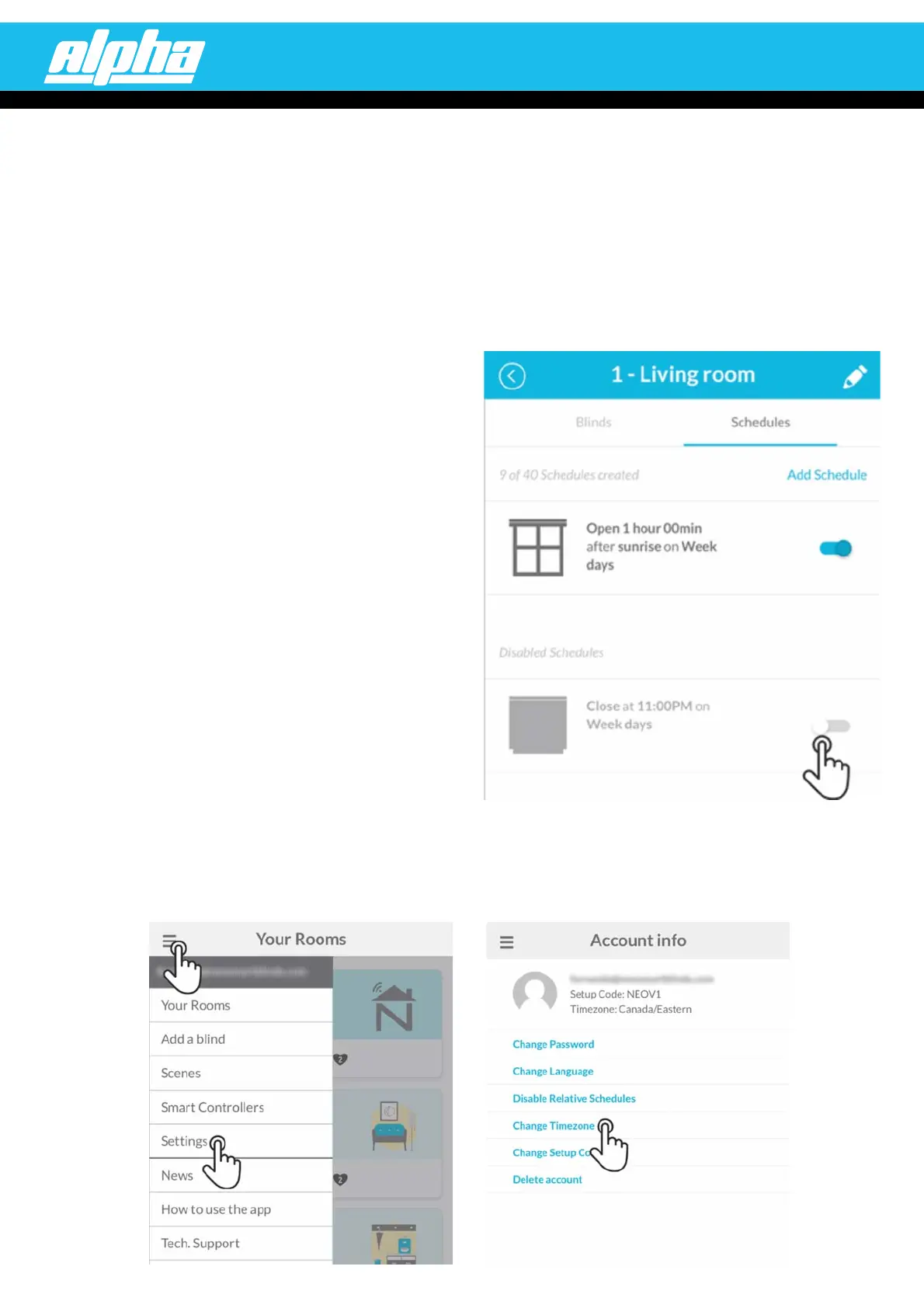
The schedule didn't run automatically
For the command to be sent to the room's blinds,
all the Smart Controllers of your account need
to be online with Internet access at the scheduled time.
Double-check if the schedule is enabled and ensure
it has the intended AM/PM times.
Besides that, you can also verify if the is suitable for where the Smart Controller isaccount timezone
installed. Make sure the chosen timezone has the , if applicable. For that, access thedaylight saving time
Change timezone page by tapping on Settings in the menu, then on change timezone. Follow the app
instructions to choose the correct timezone.


 To Previous Page
 Loading...