EasyManua.ls Logo

Alpine 1310R - Page 17

Alpine 1310R
29 pages
Print Icon
To Next Page IconTo Next Page
To Previous Page IconTo Previous Page
Loading...
poe
OPERATION
~
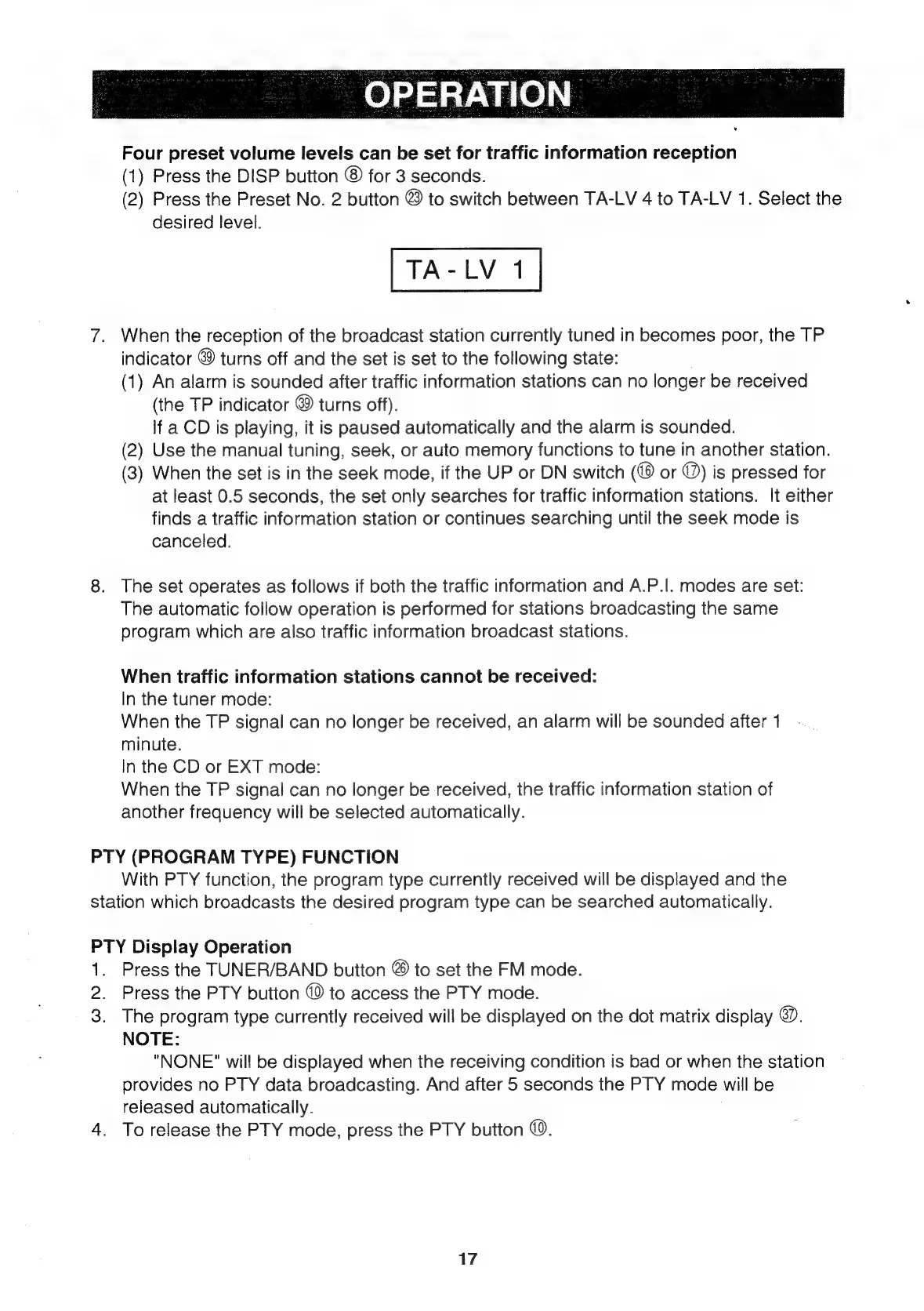
Four
preset
volume
levels
can
be
set
for
traffic
information
reception
(1)
Press
the
DISP
button
©
for
3
seconds.
(2)
Press
the
Preset
No.
2
button
@
to
switch
between
TA-LV
4
to
TA-LV
1.
Select
the
desired
level.
7.
When
the
reception
of
the
broadcast
station
currently
tuned
in
becomes
poor,
the
TP
indicator
&9
turns
off
and
the
set
is
set
to
the
following
state:
.
(1)
An
alarm
is
sounded
after
traffic
information
stations
can
no
longer
be
received
(the
TP
indicator
©
turns
off).
If
a
CD
is
playing,
it
is
paused
automatically
and
the
alarm
is
sounded.
(2)
Use
the
manual
tuning,
seek,
or
auto
memory
functions
to
tune
in
another
station.
(3)
When
the
set
is
in
the
seek
mode,
if
the
UP
or
DN
switch
or
@)
is
pressed
for
at
least
0.5
seconds,
the
set
only
searches
for
traffic
information
stations.
It
either
finds
a
traffic
information
station
or
continues
searching
until
the
seek
mode
is
canceled.
8.
The
set
operates
as
follows
if
both
the
traffic
information
and
A.P.|.
modes
are
set:
The
automatic
follow
operation
is
performed
for
stations
broadcasting
the
same
program
which
are
also
traffic
information
broadcast
stations.
When
traffic
information
stations
cannot
be
received:
In
the
tuner
mode:
When
the
TP
signal
can
no
longer
be
received,
an
alarm
will
be
sounded
after
1
minute.
In
the
CD
or
EXT
mode:
When
the
TP
signal
can
no
longer
be
received,
the
traffic
information
station
of
another
frequency
will
be
selected
automatically.
PTY
(PROGRAM
TYPE)
FUNCTION
With
PTY
function,
the
program
type
currently
received
will
be
displayed
and
the
station
which
broadcasts
the
desired
program
type
can
be
searched
automatically.
PTY
Display
Operation
1.
Press
the
TUNER/BAND
button
@
to
set
the
FM
mode.
2.
Press
the
PTY
button
©
to
access
the
PTY
mode.
3.
The
program
type
currently
received
will
be
displayed
on
the
dot
matrix
display
@.
NOTE:
"NONE"
will
be
displayed
when
the
receiving
condition
is
bad
or
when
the
station
provides
no
PTY
data
broadcasting.
And
after
5
seconds
the
PTY
mode
will
be
released
automatically.
4.
To
release
the
PTY
mode,
press
the
PTY
button
©.
17

Related product manuals