10
EnglishEnglish/Français/Español
Adjusting the Volume/Tone/
Fader Controls
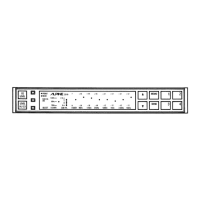
Adjust the volume and tone controls of your
head unit and the FADER control on the ERE-
G180 to suit your listening preference.
Regardless of the EQUALIZER DEFEAT
switch position, the OUTPUT LEVEL indica-
tors will light up in response to the input signal
levels. The input signal level is controlled by
the volume control of your head unit.
Note: If the red LED lights up continuously,
the output of the ERE-G180 could be
distorted. Reduce the input level using
the head units volume control. The red
LED should only light intermittently for
optimum sound quality.
Selecting the BBE Mode
Press the BBE switch to set the ERE-G180 to
the BBE mode.
With each press, the BBE is toggled On or Off.
Notes:
• When the BBE switch is illuminated in
amber, the BBE is in effect.
• The BBE switch will be illuminated amber
when it is in the "ON" position.
1
1
Operation
F
R
FADER
BBE
1
1



 To Next Page
 Loading...