4-EN
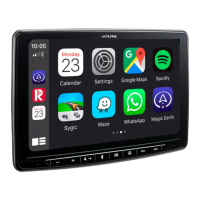
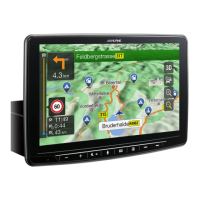
Depending on the vehicle, it may be necessary to adjust the front-
back position of the Display unit when mounting it.
If front-back position adjustment is necessary, set the slider to the
back position before mounting the display unit to the vehicle.
[Default setting: forward position]
1 Remove 4 flush head screws from the Top and Bottom of
the main unit.
2 Push the slider to the back position (To return the slider
to the forward position, pull it forward).
3 Tightly fix the slider using the 4 screws that were
removed in Step 1.
Only attach the Sheet cap when the front-back position of the Display
unit is in the forward position.
1 Clean the mounting location.
2 Put on the GPS Antenna mounting plate.
3 Mount the GPS Antenna.
• Do not mount the GPS Antenna inside the centre console.
- Mount the GPS Antenna on a flat plane of the dash board or rear
tray.
- Make sure the GPS Antenna is not covered (obstructed) by any
metallic surface or object.
Adjust the front-back position of the Display
unit (Optional)
WARNING
MAGNETIC SCREWDRIVER REQUIRED TO
CAREFULLY REMOVE SCREWS.
Flush head screw
Flush head screw
Main unit
Slider
Attach the Sheet cap (Only necessary when
the front-back position of the Display unit is in
the forward position)
Mounting the GPS Antenna inside the vehicle
Flush head screw
Flush head screw
Antenna mounting plate
GPS Antenna
This unit



 To Next Page
 Loading...