4-EN
Owner’s manual Getting Started
Getting Started
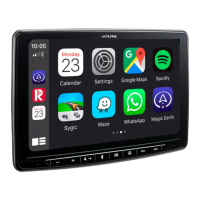
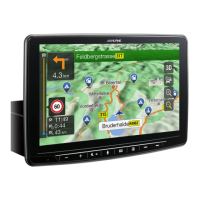
Location of Controls
The screen design used in the Quick Reference Guide may differ from the actual screen.
RESET switch
The system of this unit is reset.
/ (UP/DOWN) button
Press to adjust the volume.
(MUTE)/ (Favourite) button
Press to activate/deactivate the mute mode.
Press and hold for at least 2 seconds to recall the
Favourite screen.
button
Depending on the connected smartphone, press to
recall Siri function or voice recognition mode.
(MENU)/(Power Off) button
Recalls the Menu screen.
Press and hold this button for at least 5 seconds to turn
the power off.
(NAV) button
Recalls the navigation map screen.
Press again to switch to Navigation menu screen.
Press and hold this button for at least 2 seconds to
change to Go Home route screen. (If Home is not set
yet, it will change to the Home setting screen.)
For details of navigation operations, refer to “Navigation
System OM” in the CD-ROM.
/ button
Press to seek up/down a station in radio mode or up/
down a track, chapter, etc., in other audio/visual
sources.



 To Next Page
 Loading...