7-EN
Owner’s manual Android Auto (Optional)
Android Auto (Optional)
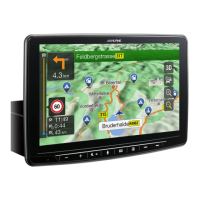
Android Auto is designed to make it easier to use apps from your phone while you’re on the road. Navigate with
Google Maps, listen to playlists or podcasts from your favourite apps, and more.
Download the Android Auto App from the Google Play store before continuing.
Connect your Android compatible Phone to begin using Android Auto.
1 Press the (MENU) button.
The Menu screen is displayed.
2 Touch [Android Auto].
The Android Auto screen is displayed.
• For details operation of Android Auto, refer to “Android Auto” in the Owner’s Manual (CD-ROM).
Owner’s manual Apple CarPlay (Optional)
Apple CarPlay (Optional)
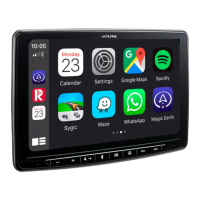
Apple CarPlay is a smarter, safer way to use your iPhone in the car. Apple CarPlay takes the things you want to do
with your iPhone while driving and puts them right on this unit. You can get directions, make calls, send and
receive messages, and listen to music, all in a way that allows you to stay focused on the road. Just plug in your
iPhone to this unit and go.
For details, refer to Owner’s Manual (CD-ROM).
1 Press the (MENU) button.
The Menu screen is displayed.
2 Touch [Apple CarPlay].
The Apple CarPlay mode is activated.
Touch the desired App icon on the unit, or use Siri function by pressing
button.



 To Next Page
 Loading...