17-EN
Accessory List
• Head unit .............................................................................1
• Power Cable ........................................................................1
• Mounting Sleeve ..................................................................1
• Bracket key..........................................................................2
• Flush Head Screw (M5x8) ...................................................6
• Screw (M5×8) ......................................................................8
• Face plate............................................................................1
• Mounting Position Seal ........................................................2
• GPS Antenna .......................................................................1
• Pre OUT Cable ....................................................................1
• AUX I/O Cable .....................................................................1
• AV extension cable ..............................................................1
• Rubber Cap .........................................................................1
• Hex Bolt ...............................................................................1
• USB extension cable ..........................................................1
• USB 30P cable ....................................................................1
• Microphone..........................................................................1
• Remote Control....................................................................1
• Battery (CR2025) .................................................................1
• Owner’s Manual .............................................................1 set
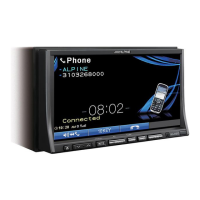
Location of Controls
button
Recalls the Eject/Tilt screen.
If the disc does not eject after touching [Eject] of Disc,
pr
ess and hold for at least 3 seconds.
/ button
Press to adjust the volume.
MUTE/PHONE button
Lowers the volume by 20 dB instantly. Press the button
again to cancel.
Press and hold for at least 2 seconds to display the
T
elephone Menu screen.
(Displayed only when BLUETOOTH IN is set to ON
(page 49)).
SOURCE/ button
Turns the power on. Press and hold for at least 3 seconds to
turn the power off.
Recalls the Source selection screen.
AUDIO /TA button
Return to the AV main source screen that is displayed
before the Setup, Navigation, Telephone, Camera mode,
etc. is started.
Turn on GUIDEVIEW WINDOW™ mode when the current
s
creen is audio source screen (Radio, CD, iPod, etc.). Press
again to turn it off. For more information, refer to the Owner’s
Manual of navigation system stored in the supplied
CD-ROM.
Press this button for at least 2 seconds to turn the T.INFO
m
ode ON or OFF.
MAP button
Recall the navigation map screen.
For more information, refer to the Owner’s Manual of
n
avigation system stored in the supplied CD-ROM.
NAVI MENU button
Recall the navigation menu screen.
For more information, refer to the Owner’s Manual of
n
avigation system stored in the supplied CD-ROM.
RESET switch
Be sure to press the RESET switch when using the unit for
the first time, after installing the CD changer, after changing
the car battery, etc.
Turn off the unit power, press RESET with a ballpoint pen or
similar poin
ted object.
Remote Sensor
Point the supplied remote control transmitter towards the
remote sensor within a range of 2 meters.
Getting Started
Connect to Remote Control Interface Box
You can operate this unit from the vehicle’s control unit when
an Alpine Remote Control Interface Box (optional) is
connected. For details, contact your Alpine dealer.
• The buttons on the face of this unit are shown in bold
(e.g. SOURCE/ ). The onscreen buttons that appear in the
display are shown in bold enclosed by [ ] (e.g.[BAN
D]).



 To Next Page
 Loading...