23-EN
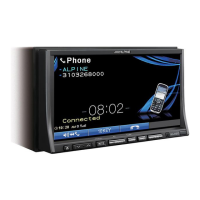
Display example for MP3/WMA/AAC main screen
[ ] button: Refer to page 36
CD:
Displays the Track text*
1
/Disc text*
1
.
• If there is neither Track nor Disc name information, “No Text” will
be displayed.
MP3/WMA/AAC:
After displaying the file name in the upper line, the track
n
ame is displayed if there is ID3 tag information.
After displaying the folder name in the lower line, the album
name
/artist name are displayed if there is ID3 tag
information.
CD:
Displays play state/the disc number*
2
/track number/
progress bar/elapsed time/remain time.
MP3/WMA/AAC:
Displays play state/the disc number*
3
/folder number/track
number/progress bar/elapsed playback time/remain time.
*
1
Displayed when a CD text disc is inserted.
*
2
Displayed when a CD changer is connected.
*
3
Displayed when an MP3 compatible CD changer is connected.
• W
hen the CD/MP3 changer source is selected, progress bar, etc. will
not be displayed.
Playback
1
Press
SOURCE/
on the unit.
The Source Select screen is displayed.
2
Touch [Disc].
The display shows the Disc screen.
When a CD/MP3/WMA/AAC is inserted into the DISC SLOT
of
the INA-W910R, with the label side facing up, the unit
starts to play the CD/MP3/WMA/AAC.
3
Touch [ ] or [ ] to select the desired track
(file).
Returning to the beginning of the current track (file) :
Touch [ ].
Fast reverse :
Touch and hold [ ].
Advancing to the beginning of the next track (file) :
Touch [ ].
Fast forward :
Touch and hold [ ].
To pause playback
Touch [ / ].
Touching [ / ]
again will resume playback.
Inserting/Ejecting a Disc
Refer to “Inserting/Ejecting a Disc” (page 18).
• If the disc does not eject, press and hold for at least 3 seconds.
• T
he INA-W910R model includes a built-in MP3/WMA/AAC unit. You
can play CD-ROMs, DVD-ROMs, CD-Rs, CD-RWs, DVD-Rs, DVD-
RWs, DVD+Rs and DVD+RWs containing MP3/WMA/AAC files on
this unit. Use the format compliant with this unit. For further
information about playing or storing MP3/WMA/AAC files, refer to
pages 24 and 25 before using the unit.
• W
MA format files that are protected by DRM (Digital Rights
Management), AAC format files that have been purchased from
iTunes Music Store that are not DRM-Free and files that are copy-
protected cannot be played back on this unit.
• T
he unit can play discs containing both audio data and MP3/WMA/
AAC data.
• T
he track display for CD audio data playback is the track numbers
recorded on the disc.
• T
hree-inch (8cm) CD’s can be used.
• “Playing MP3/WMA/AAC Data (File Play Mode)” is mentioned on
page 41.
• I
f an MP3/WMA/AAC disc with many files and folders is played, it
takes a little longer than normal to start playback.
• T
ouch [ ] to activate the search mode. For operations, refer to
“Search Function” on page 36.
However, the search mode function does not work in the CD changer
mode.
• T
he playback time may not be correctly displayed when a VBR
(Variable Bit Rate) recorded file is played back.
Repeat Play
Touch [ ] to play back repeatedly the track currently
being played.
The track (file) will be played repeatedly.
Touch [ ] ag
ain and select OFF to deactivate Repeat play.
1 Touch [P
1/2]*
3
to change the function guide.
2 Touch [ ] and
select the desired Repeat play.
*
1
If a CD Changer or an MP3 compatible CD changer is connected
and the mode is selected, the unit repeatedly plays back all
tracks (files) on the disc selected.
*
2
Only files in a folder are repeatedly played back.
*
3
Display may vary depending on the connected devices.
CD/MP3/WMA/AAC
CD: *
1
(off)
(Repeat one) (Repeat disc)
MP3/WMA/AAC:
*
2
*
1
(off)
(Repeat one) (Repeat folder) (Repeat disc)



 To Next Page
 Loading...