4-EN
ALPINE KTX-H100 68-12118Z61-A (EN)
• If an air-conditioner or heater is turned on, turn it off. Measurement should not be performed if air-conditioner
or heater noise is present.
3
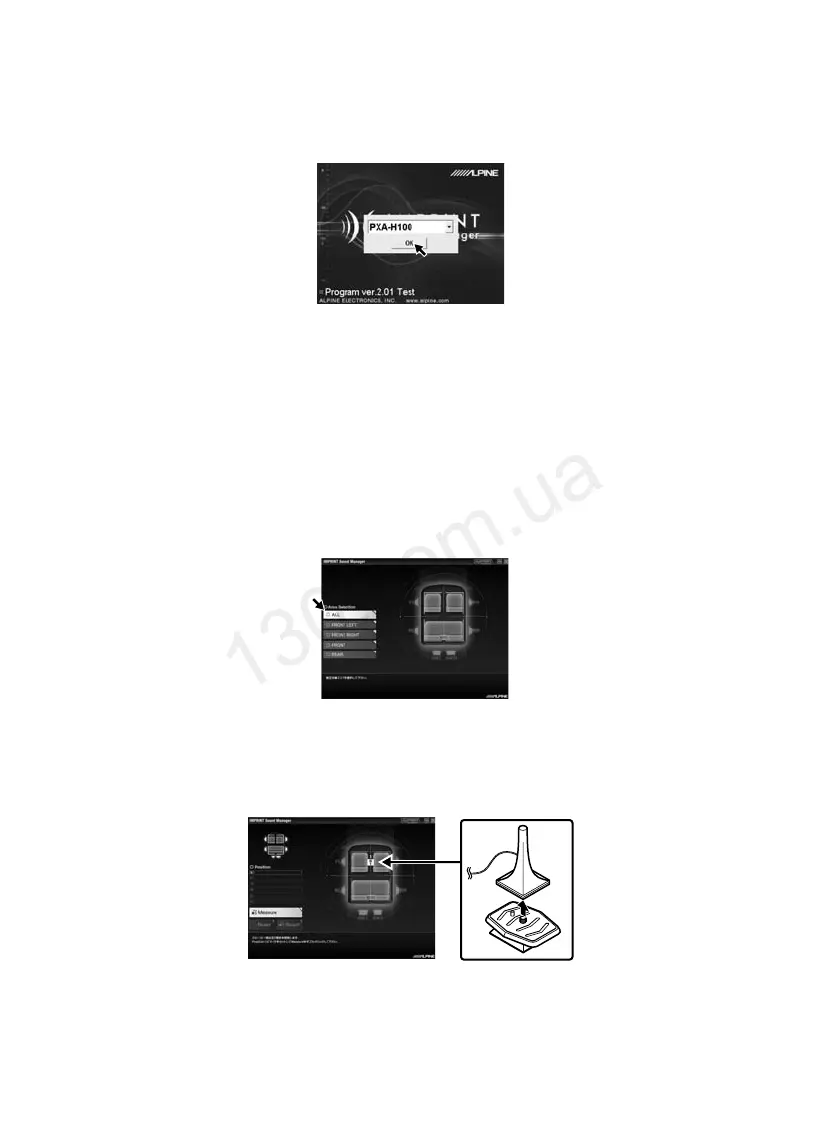
Activate IMPRINT SOUND MANAGER installed on the PC, and then select PXA-H100.
• Strictly observe the Warnings and Cautions written by the manufacturers of your PC and peripheral equipment.
• We do not accept responsibility for data lost due to the incorrect operation of the IMPRINT SOUND
MANAGER. We recommend you to back-up your important data regularly.
4
Place the Measurement Microphone in the vehicle according to the IMPRINT SOUND
MANAGER on screen instructions. Start the measurement.
• Perform PC operation outside the vehicle.
• If an error occurs during calibration, refer to the “Message List” at the end of this manual to help resolve the
problem. Close the dialog box by double-clicking the OK button to exit the programme.
5
From the IMPRINT SOUND MANAGER screen, double-click the Area Selection to be
measured.
6
Follow the IMPRINT SOUND MANAGER on screen display for placement of the
calibration microphone.
Place the microphone in a vertical position, at ear level (a camera tripod is useful for
this purpose).
01ENKTX-H100.fm Page 4 Wednesday, November 28, 2007 10:10 AM
Autogood products internet store http://130.com.ua



 To Next Page
 Loading...