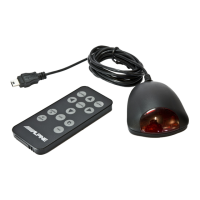
MC2 Add-on
Commander
Pairing Procedure
1.
Power on existing MC20 system
2.
Connect power
and
ground wires
of
MC2 add-on commander
(see
Installation)
3.
MC2 add-on commander display will turn
on
and automatically go to the pairing
screen
in
the program menu with ADD MC2 showing
on
the display
4.
On
marine radio, select
FM
Tuner
as
source (make sure that tuner seek mode
is
OX
or LOCAL, not MANUAL)
5.
Found Radio will appear
on
the display below ADD MC2 when add-on commander
is
ready to pair with MC20 system *
6.
On
marine radio, press SEEK UP (
~
) once
7.
PRESS
ENTER
will appear below ADD MC2
on
the dispray
8.
Press ENT to finish pairing operation and save new settings
9.
Press
ESC
to exit Program Menu
10.
Turn
off the existing MC20 system, then turn it back
on.
Pairing procedure
is
now
completed.
*If Found Radio does not appear on the display, MC2 location may be out
of
MC20 system
range (typical -
40
feet/12
m)
6



 To Next Page