TruVue - VCS
Attach to Monitor with VESA Mount (Over Existing Mount)
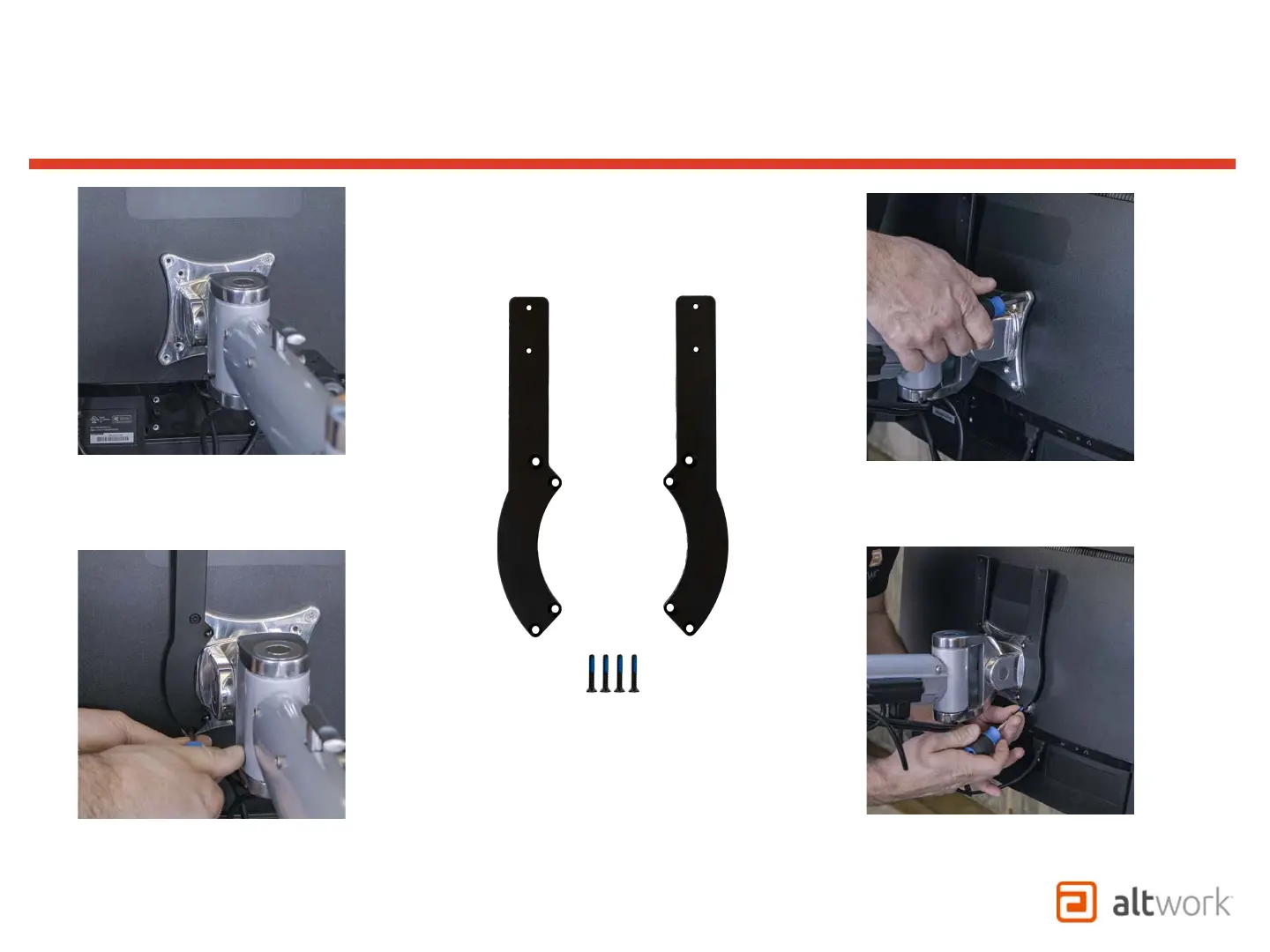
Remove existing screws from
left side of monitor mount.
Remove existing screws from
right side of monitor mount.
Use M4 x 20mm flathead screws
to mount the bracket to the back
of the monitor through the VESA
mount as shown.
Attach the right side bracket
(2) VESA Mount Brackets
(4) M4 x 20mm flat-head screws


 To Next Page