6
When this screen appears, it means your Amazon Alexa account is linked with your Tuya
Smart account.
Discovering Devices in Alexa APP
First, you should say to Alexa: “Alexa, discover my devices.” Alexa will start discovering
the devices linked with your Tuya Smart App. It will take about 20 seconds. Or you can
click on “Discover devices” in Alexa APP, which will show the devices that were found
successfully.
Note: Any change of the device name in Tuya Smart APP will require re-discovering the
device in Alexa APP.
Voice Controlling the Smart Devices by Alexa
Note: “Alexa” is one of the wake-up name of Amazon Alexa, which can be set to any of
these three names: Alexa/Echo/Amazon.
Voice Commands and Controls:
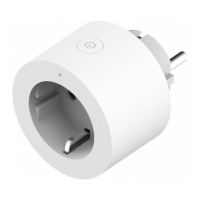
• Alexa, turn on [bedroom socket].
• Alexa, turn off [bedroom socket].
• Alexa, turn on [Kitchen’s fan].
• Alexa, turn off [Kitchen’s fan].
Note: [Bedroom socket] and [Kitchen’s fan] is the name of the device you set when you
added it to Tuya Smart APP.


 To Next Page