Need help?
Do you have a question about the Amazfit T-Rex 2 and is the answer not in the manual?
This document serves as the product manual for the Amazfit T-Rex 2 smartwatch, model A2170, guiding users through its setup, operation, and maintenance.
The Amazfit T-Rex 2 is a smartwatch designed for active users, offering a range of features to support daily life and fitness tracking. The device comes with a smartwatch and band, a charging base, and an instruction manual.
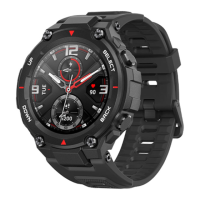
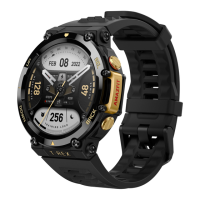
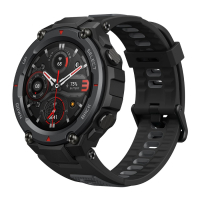
The smartwatch is equipped with several buttons and sensors to facilitate its various functions. On the front, it features an upper button and a lower button, which are likely used for navigation and specific feature activation. On the side, there's a Power/Select button, which is crucial for turning the device on and off, as well as confirming selections. A Back button is also present, allowing users to return to previous screens or menus. The back of the watch houses charging contacts and a heart rate sensor, enabling both power replenishment and health monitoring capabilities.
To begin using the watch, users must first turn it on by pressing and holding the Power/Select button. If the watch does not power on, it indicates a need for charging. The charging process involves connecting the provided charging cable to a power adapter or a computer's USB port and then placing the watch onto the charging base. It's important to ensure the metal contacts on the back of the watch align correctly with the charging base for proper connection. Once charging commences, the watch screen will display the charging progress. For optimal charging, users are advised to use the original charging base and ensure it is dry before use. A 1A or above power adapter is recommended for efficient charging.
The smartwatch needs to be paired with a mobile phone to unlock its full potential. This involves downloading and installing the Zepp app, which can be found by scanning a QR code provided in the manual or by searching in the Google Play Store or Apple App Store. After installing the app, users need to register an account and log in. The app will then guide them through the pairing process. It's crucial to pair the watch through the app rather than directly via the phone's Bluetooth settings to ensure correct setup. For the best user experience, it's recommended to use the most recent version of the app and ensure the mobile phone's operating system is Android 7.0, iOS 12.0, or above.
The Amazfit T-Rex 2 is designed to be worn comfortably on the wrist. Proper wearing is essential for accurate sensor readings and overall comfort. The strap should be worn neither too tight nor too loose, allowing enough space for the skin to breathe. This ensures comfort and allows the heart rate sensor to function effectively. When measuring blood oxygen saturation, the watch should be worn correctly, avoiding the wrist joint. The arm should be kept flat, and the watch should fit comfortably and appropriately tight against the skin of the wrist. The arm should remain still throughout the measurement process. External factors such as arm sag, arm sway, arm hair, or tattoos can affect the accuracy of the measurement or even cause it to fail. For activities like workouts, it is recommended to tighten the watch strap and then loosen it afterward for comfort.
The watch also features a low temperature mode, which allows it to function in environments ranging from -30°C to -10°C. In this mode, the touch screen and certain features may be limited. The watch can automatically switch between low temperature mode and normal mode based on the ambient temperature, requiring a restart during this transition. Users can also manually exit low temperature mode by pressing and holding the back button.
The Amazfit T-Rex 2 is designed to be a robust companion for various activities. Its intuitive button layout allows for easy navigation through menus and features. The Power/Select button acts as a primary control for turning the device on and off, as well as confirming selections within the interface. The upper and lower buttons likely provide additional navigation or quick access to specific functions, enhancing user interaction. The Back button is a convenient tool for reversing actions or exiting current screens, streamlining the user experience.
The integration with the Zepp app is a core usage feature, extending the watch's capabilities beyond its physical interface. Through the app, users can manage settings, view detailed health and fitness data, and potentially customize watch faces or receive notifications. This connectivity transforms the watch into a comprehensive personal assistant, providing insights into daily activity, sleep patterns, and other vital metrics. The app's role in the initial pairing process highlights its importance for the overall functionality of the smartwatch.
The watch's design emphasizes comfort and accuracy, particularly for health monitoring. The recommendation for proper strap tightness during different activities underscores its focus on reliable data collection. For instance, tightening the strap during workouts ensures that the heart rate and blood oxygen sensors maintain consistent contact with the skin, leading to more accurate readings. Loosening it afterward promotes comfort during less strenuous periods. The detailed guidance on wearing the watch for blood oxygen saturation measurements indicates a commitment to precision, acknowledging that external factors can influence sensor performance.
The low temperature mode is a notable usage feature, expanding the watch's utility to extreme cold environments. While some functionalities like the touch screen may be limited, the ability to operate in such conditions makes it suitable for outdoor enthusiasts or individuals working in cold climates. The automatic switching mechanism between modes, coupled with the option for manual control, provides flexibility and convenience for users adapting to varying temperatures.
Proper maintenance is crucial for extending the lifespan and ensuring the optimal performance of the Amazfit T-Rex 2. The manual provides clear guidelines to help users care for their device.
One of the primary maintenance recommendations is to avoid using harsh detergents such as soap, hand sanitizer, bath foam, or lotion for cleaning the watch. These substances can leave chemical residues that may irritate the skin, corrode the device, or degrade its water resistance over time. Instead, it is implied that a gentle cleaning method, likely with water and a soft cloth, should be used.
For users who wear the device during bathing, swimming, or when sweating, prompt cleaning and drying are essential. This prevents the accumulation of moisture and residues that could potentially damage the device or cause skin irritation. The manual specifically notes that the leather strap is not waterproof and should be kept dry to prevent shortening its service life. This highlights the importance of being aware of the material of the watch strap and its specific care requirements.
Another practical maintenance tip relates to light-colored watch straps. Users are advised to avoid contact with dark clothing to prevent staining, which can be a common issue with lighter materials. This simple precaution helps maintain the aesthetic appearance of the watch.
The manual also outlines several important safety and care instructions. Users should avoid wearing the watch during activities involving high-speed water currents, such as showers, hot springs, saunas (steam rooms), diving, and underwater diving. This suggests that while the watch may have a certain level of water resistance, it is not designed for all water-related activities, especially those with significant water pressure or temperature changes.
Furthermore, the device should not be exposed to direct sunlight for prolonged periods or placed in excessively high or low ambient temperatures, as this can lead to device failure. During transportation, the watch should be handled with care, kept dry, and protected from humidity. This ensures that environmental factors do not compromise its internal components.
Finally, a critical maintenance and safety instruction is to avoid wearing the watch in MRI examinations or other highly magnetic environments. Such environments can cause damage to the watch, emphasizing the need for users to be mindful of where they wear their device.
In case of troubleshooting needs, users are directed to the official support website: https://support.amazfit.com/en, which likely provides FAQs and further assistance. For long-term storage, it is recommended to power off the product and recharge the battery to 100% every 6 months to prevent damage from over-discharge. Additionally, users are advised to only use specific straps authorized by the manufacturer to ensure compatibility and avoid potential issues.
 General
| Shape | Round |
|---|---|
| Band size | One Size |
| Band color | Green |
| Color name | Wild green |
| Waterproof | Yes |
| Buckle color | Black |
| Closure type | Single prong strap buckle |
| Band material | Silicone |
| Watch case size | 47 mm |
| Suggested gender | Male |
| Watch case color | Black, Green |
| Water resistance | 10 ATM |
| Waterproof up to | 100 m |
| Wrist size range | 140 - 205 mm |
| Market positioning | Sport watch |
| Protection features | Freeze resistant, Shock resistant, Waterproof |
| Watch case material | Polymer |
| Display type | Digital |
| Pixel density | 326 ppi |
| Display diagonal | 1.39 \ |
| Display resolution | 454 x 454 pixels |
| Display technology | AMOLED |
| Mobile network connection | No |
| Mobile network generation | - |
| Military standard | MIL-STD-810G |
| Heart rate measuring | Automatic, Manual |
| Heart rate sensor type | Optical |
| Supported applications | Zepp App |
| Bluetooth version | 5.0 |
| Headphone connectivity | Bluetooth |
| Flash memory | 0.5 GB |
| RAM capacity | 32 MB |
| Processor model | NXP 555 |
| Operating system installed | Zepp OS |
| Mobile operating systems supported | Android 10, Android 10.0, Android 11.0, Android 12.0, Android 7.0, Android 7.1, Android 7.1.2, Android 8.0, Android 9.0, iOS 12, iOS 13, iOS 14, iOS 14.5, iOS 15 |
| Charging time | 2 h |
| Battery capacity | 500 mAh |
| Battery life (max) | 576 h |
| Battery life (GPS mode) | 26 h |
| Battery life (power save mode) | 1080 h |
| Harmonized System (HS) code | 91021200 |
 Weight and Dimensions
| Width | 47.1 mm |
|---|---|
| Weight | 66.5 g |
| Thickness | 13.65 mm |
| Band width | 22 mm |

 To Next Page