CLEAN THE DUST ON THE EVAPORATOR &
CONDENSER
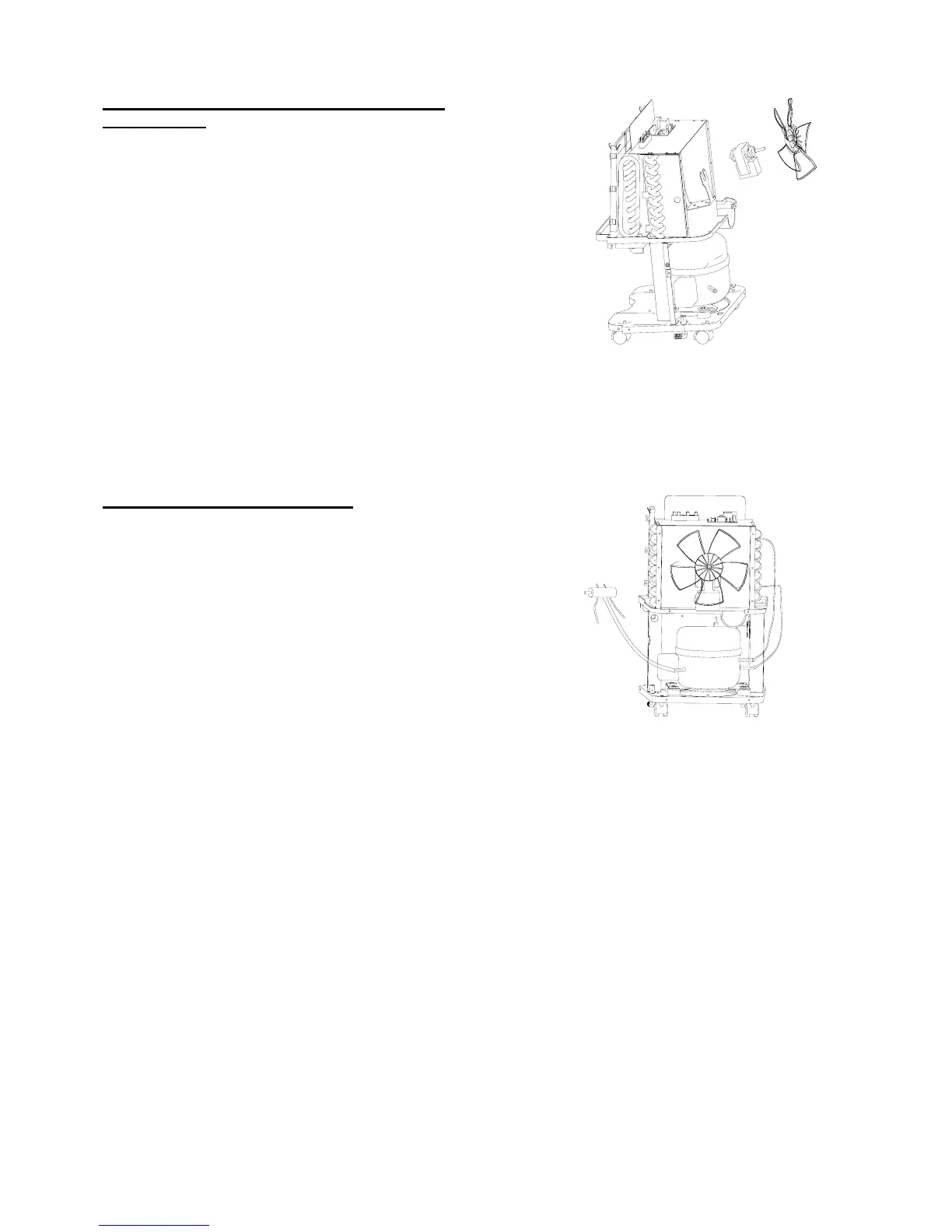
1. Pull out the water tank, take off the filter, remove
the front & rear plates.
2. Take off the up wind funnel & fan motor.
3. Use high pressure N
2
to blow off the dust on the
evaporator and condenser.
4. Use water to clean the evaporator and
condenser.
Notice ! Before you clean the evaporator and
condenser with water, make sure the motor has
been taken off. The electric part is not allowed to
touch with water.
CLEAN THE COOLING SYSTEM
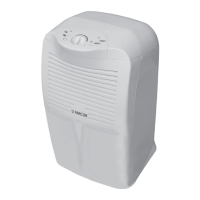
1. Pull out the water tank, take off the filter,
remove the front & rear plates.
2. Using soldering iron to separate the capillary
tube from the dryer.
3. Connect a repair valve (with pressure gauge)
on the copper tube of the compressor.
4. Filling 0.8 ~ 1.0 Mpa N
2
into the inlet of the
fixing valve to clean the cooling system.
Notice ! Before soldering, you have to vacuum the
unit completely.
5


 To Next Page