53
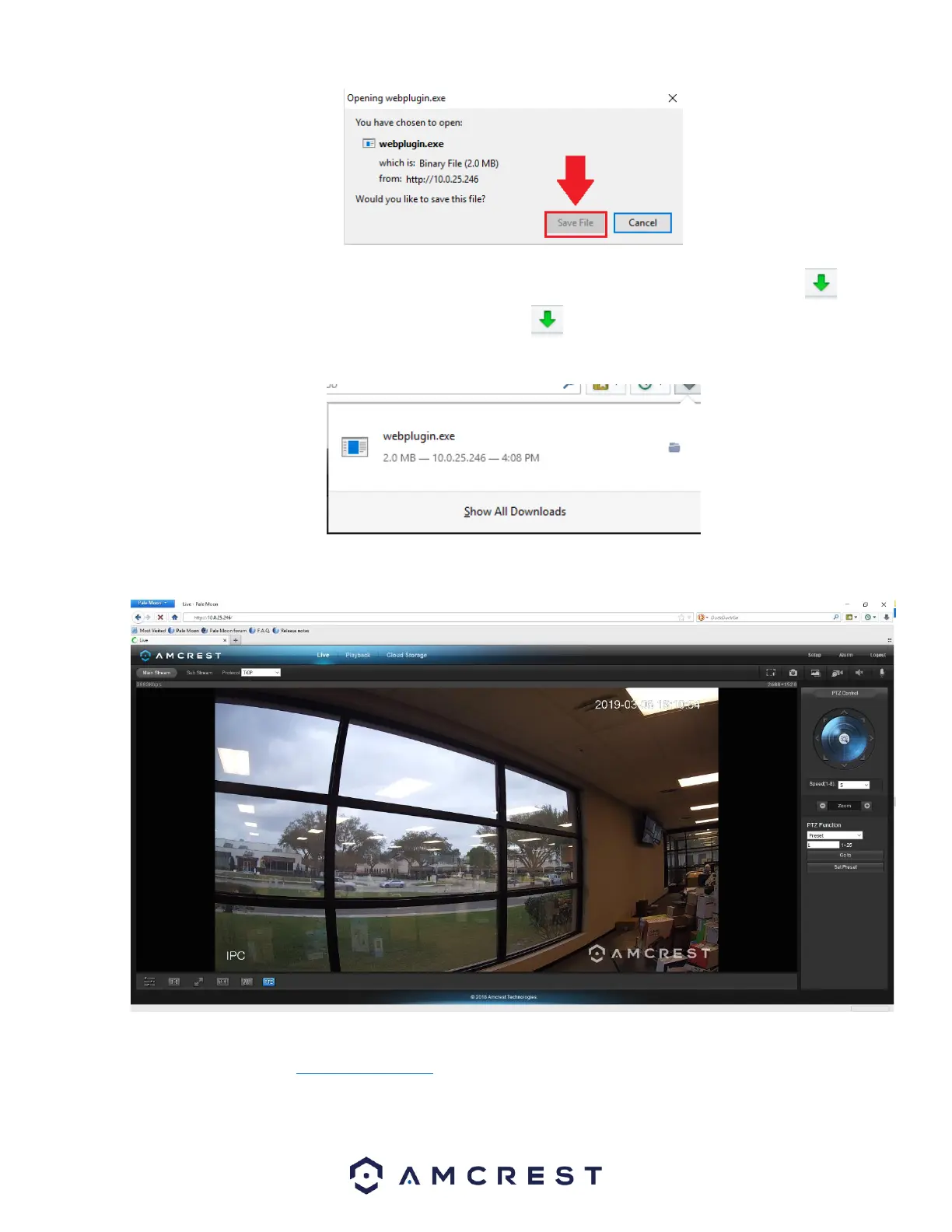
The webplugin.exe will then be downloaded to the downloads folder and be shown in the Download Manager in the upper
right-hand corner of the browser. To launch the plugin, click on the and click on the webplugin.exe file in the download
manager.
The browser will then show the live feed of your connected device in the web user interface.
For more information on the web user interface and the features it provides, please refer to the user manual for your device.
User manuals can be found at amcrest.com/support or on the original listing of your device.


 To Next Page