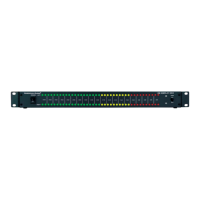
Thank you for purchasing this
American Audio® product. Please read
the following instructions before installing
or using your new unit.
Operating Instructions:
1. Plug in proper AC adapter
2. Connect music signal to Left and Right input
jacks, must be pre-amp level.
3. Turn the power switch on.
4. Adjust L and R audio controls to desired
responce
5. This unit has BAR and DOT display modes.
BAR mode: Set switch to BAR position, LEDs
will glow from -57dB to 0dB
according to signal strength.
DOT mode: Set Mode switch to DOT position,
only two LEDs glow and
chase from left to right according
to audio level variety.
For service, contact your ADJ dealer.
CAUTION!
1. Do not expose this unit under high
temperature or humid area.
2. AC adapters rated with DC 5V,
500mA is recommended.
3. No user servicable parts. Please
contact your nearest authorized dealer for
service.
Model:
dB-Display MK II
SPECIFICATIONS:
Power input : DC 5V 500mA
Audio input: 100mV-3Vp-p
Power consumption: <10W
Dimensions: 2 3/8” L x 19” W x 1 3/4” H
Weight: 2.58 lbs / 1.25 Kg.
dB-Display MKII


 Need help?
 General