Using Your Earphones
Powering Your Earphones On and OFF
1. Press and hold the “POWER” button for 3 seconds to power on your earphones. If you have
already paired your earphones to your Bluetooth device, they will automatically remain paired
each time you power on your earphones.
2. Press and hold the “POWER” button for 5 seconds to power off your earphones.
Listening to Music
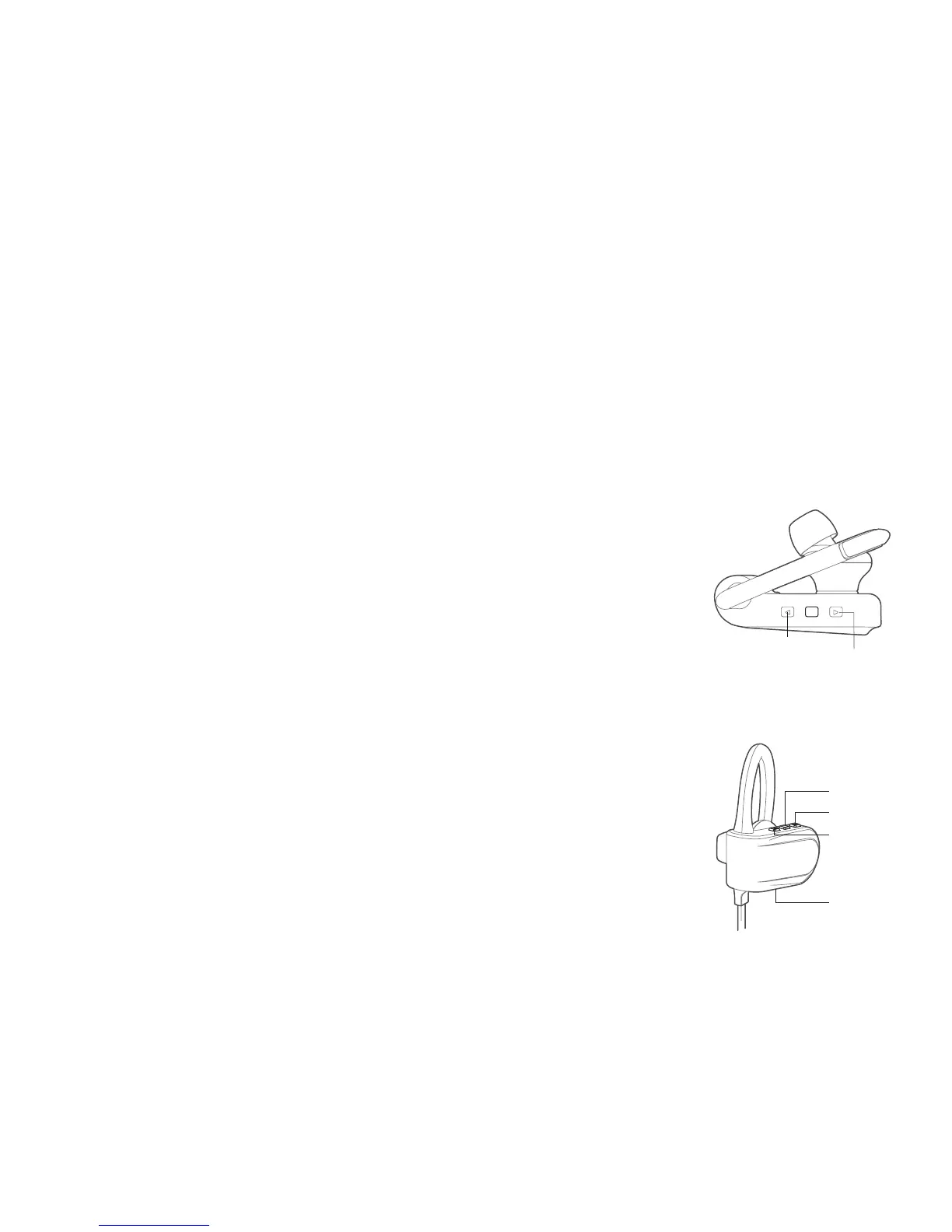
• Play/Pause Button: Press to play or pause a track.
• Quickly tap the “NEXT TRACK/VOLUME UP” button to increase the volume.
• Quickly tap the “PREVIOUS TRACK/VOLUME DOWN” button to decrease
the volume.
• Press and hold the “NEXT TRACK/VOLUME UP” button to advance to
the next song in a playlist.
• Press and hold the “PREVIOUS TRACK/VOLUME DOWN” button to go
back to the previous song in a playlist.
Note: You can also adjust volume and playback settings on your phone.
Using the Phone Function
• Last Number Re-dial: Press the ANSWER button twice to re-dial
the last number called.
• Answering a Call: Quickly press the ANSWER button to answer an
incoming call.
• Reject an Incoming Call: Press and hold the ANSWER button to reject
an incoming call.
• Ending a Call: Quickly press the ANSWER button to end a call.
Answer
Volume Up
Volume Down
Microphone
Volume Up
Next Track
Volume Down
PreviousTrack



 To Next Page