Page 5For technical questions, please call 1-888-866-5797.Item 63985
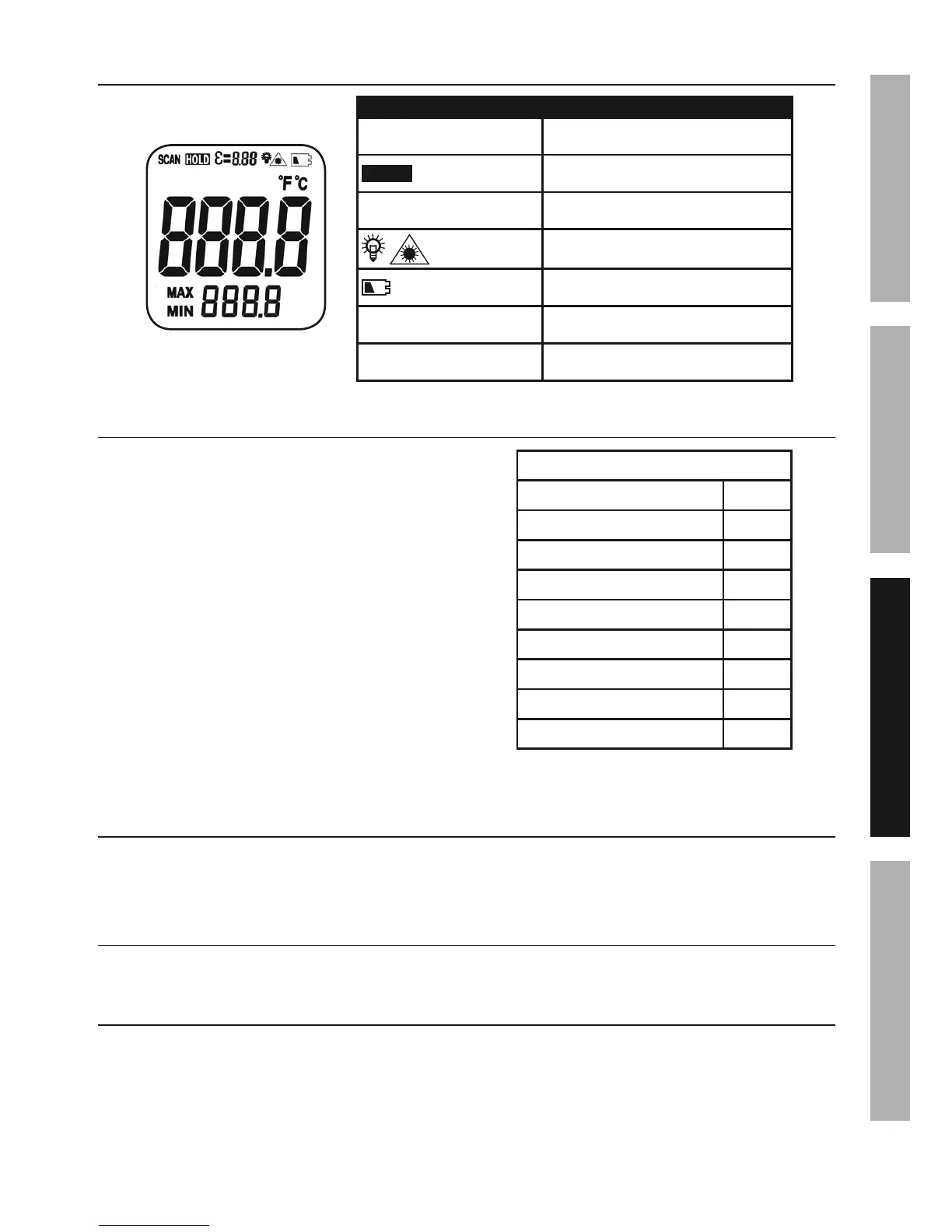
Display
Symbol Description
SCAN Measuring
HOLD
Data Hold
3
=
8.88
Emissivity
Backlight/Laser Pointer
Low Battery
MAX MIN Max/Min Values
°F°C Fahrenheit/Celsius
Emissivity
Emissivity is the amount of thermal
energy emitted from a surface.
Generally, organic materials, painted, dull or
dark surfaces have higher emissivity. Metals
and reflective surfaces have lower emissivity.
This thermometer is preset to 0.95.
To adjust Emissivity:
1. Press and hold Select Button
until
3
is displayed.
2. Press Select Button again.
3. Press Up/Down Button to
adjust emissivity value.
4. Press Select Button when finished.
Approximate Surface Emissivity
Glass 0.95
Concrete 0.95
Hot Food 0.93
Carbon 0.85
Cast Iron 0.80
Copper (oxidized) 0.50
Galvanized Pipe 0.40
Aluminum (oxidized) 0.30
Stainless Steel (polished) 0.20
Backlight/Laser Pointer Button
Laser Pointer: In Data Hold mode, press Button to turn Laser Pointer on and off.
Backlight: In Measurement mode, press Button to turn Backlight on and off.
MAX MIN
Press Select Button to review maximum and minimum values.
°F°C
Press Up/Down Button to change temperature unit.
SAFETYOPERATIONMAINTENANCE SETUP


 To Next Page