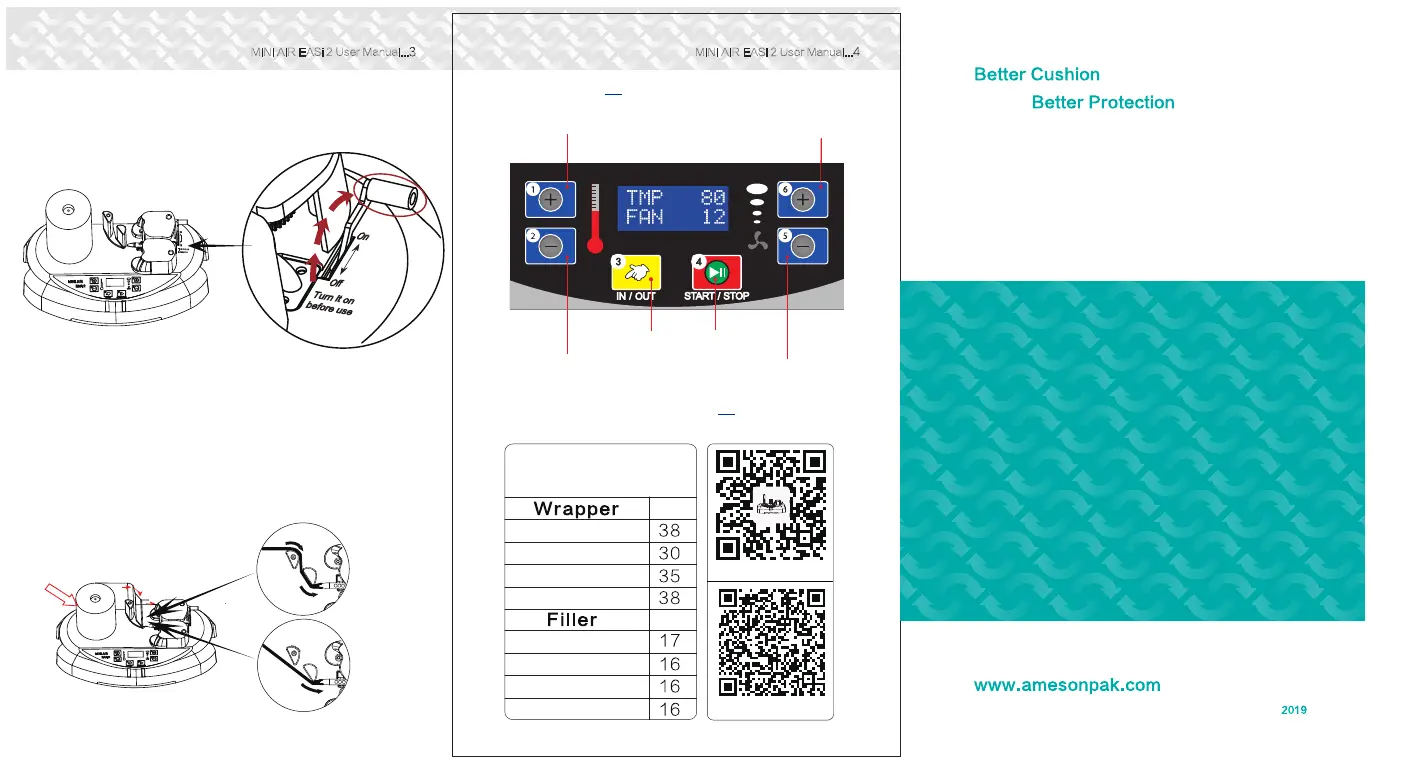
. Open b) Slide the film roll following the path shown below
the air channel and slide the air channel over the end of the
air nozzle.
c) Slide the film roll until it reach the red roller, then press(Hold)
the "in/out" until the film get through
MINI AIR EASi 2 User Manual...
MINI AIR EASi 2 User Manual...
pic.5
Recommended Air volume
(For HDPE 20µm)
Fan
Bubbles
Tube large
Tube small
Tube multi
Fan
Operation / Maintenance
User Manual
200x100mm(8“x4”)
Air volume reference
200x130mm(8“x5”)
200x150mm(8“x6”)
200x200mm(8“x8”)
Settings
T
emperature Up
Air Volume Up
Temperature Down
Film in & out
Start / Stop
Air Volume Down
pic.6
a) Put the roll onto
film roll holder
(Film roll edge with air
channel sides down)
E. Load film roll
.
.
Version
D. Unlock the Knob
a) Turn it as “On” position
before use the machine.
b) Recommend to turn the
knob off when not use to
extend the parts lifetime.
pic.4
Wrapper
others
Filler&
Bubbles
Knob



 To Previous Page