EasyManua.ls Logo

Ampex 351 - Page 17

Default Icon
103 pages
Print Icon
To Next Page IconTo Next Page
To Previous Page IconTo Previous Page
Loading...
Step
2:
Step
3:
Step
4:
Step
5:
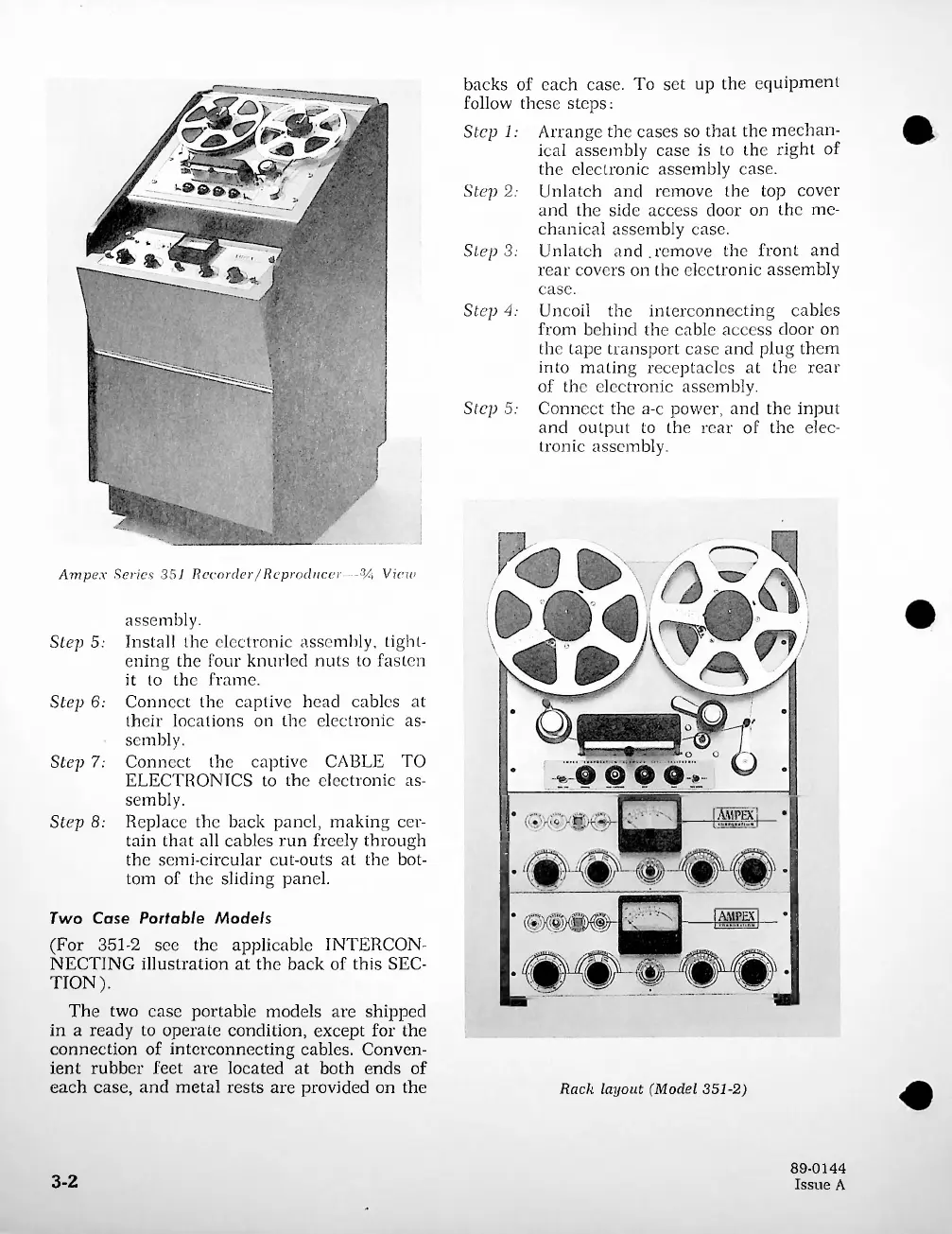
Ampex
Series
351
Recorder/Reproducer
%
View
Step
5:
Step
6:
Step
7.-
^AMPEXj
__
Step
8:
|
AMPEX
|
Rack
layout
(Model
351-2)
3-2
89-0144
Issue
A
backs
of
each
case.
To
set
up
the
equipment
follow
these
steps:
Step
1:
Two
Case
Portable
Models
(For
351-2
see
the
applicable
INTERCON
NECTING
illustration
at
the
back
of
this
SEC
TION).
The
two
case
portable
models
are
shipped
in
a
ready
to
operate
condition,
except
for
the
connection
of
interconnecting
cables.
Conven
ient
rubber
feet
are
located
at
both
ends
of
each
case,
and
metal
rests
are
provided
on
the
assembly.
Install
the
electronic
assembly,
tight
ening
the
four
knurled
nuts
to
fasten
it
to
the
frame.
Connect
the
captive
head
cables
at
their
locations
on
the
electronic
as
sembly.
Connect
Arrange
the
cases
so
that
the
mechan
ical
assembly
case
is
to
the
right
of
the
electronic
assembly
case.
Unlatch
and
remove
the
top
cover
and
the
side
access
door
on
the
me
chanical
assembly
case.
Unlatch
and.remove
the
front
and
rear
covers
on
the
electronic
assembly
case.
Uncoil
the
interconnecting
cables
from
behind
the
cable
access
door
on
the
tape
transport
case
and
plug
them
into
mating
receptacles
at
the
rear
of
the
electronic
assembly.
Connect
the
a-c
power,
and
the
input
and
output
to
the
rear
of
the
elec
tronic
assembly.
the
captive
CABLE
TO
ELECTRONICS
to
the
electronic
as
sembly.
Replace
the
back
panel,
making
cer
tain
that
all
cables
run
freely
through
the
semi-circular
cut-outs
at
the
bot
tom
of
the
sliding
panel.

Related product manuals