EasyManua.ls Logo

AMTAST AMT27 - User Manual

AMTAST AMT27
15 pages
Print Icon
To Next Page IconTo Next Page
Loading...
AMTAST
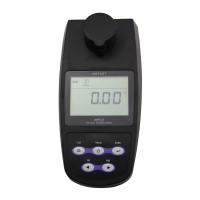
AMT27 Portable Turbidimeter
Instruction Manual
AMTAST USA INC
Question and Answer IconNeed help?

Do you have a question about the AMTAST AMT27 and is the answer not in the manual?

Summary

Introduction and Unpacking

Unpacking

Lists standard components of the meter and conditions for unpacking.

Operating Principles

Explains the nephelometric principle and optical system of the turbidimeter.

Meter Overview and Keypad

Meter Overview

Provides a visual layout of the turbidimeter's components and interfaces.

Keypad Functions

Details the function and operation of each button on the meter's keypad.

Device Setup and Configuration

Display Indicators

Explains the various icons and readouts on the meter's display.

Installing the Batteries

Step-by-step instructions for inserting AA batteries into the meter.

Switching the Meter On and Off

Instructions for powering the turbidity meter on and off.

Setup Menu Options

Overview of the integrated setup menu for customizing meter options.

Setting the Date and Time

Guide to setting the date and time parameters on the meter.

Restore Factory Settings

Procedure to reset the meter to its default factory settings.

Turbidity Measurement and Calibration

Measurement and Calibration Hints

Tips for accurate turbidity measurements and calibration procedures.

Turbidity Calibration

Information on calibrating the meter using Formazin Standards.

Setting Calibration Points

Procedure to select the number of calibration points for the meter.

Calibrating the Meter

Detailed steps for performing the turbidity meter calibration process.

Turbidity Measurement Modes

Explanation of single and continuous measurement modes.

Performing Measurements

Techniques for single and continuous turbidity measurements.

Data Management and Communication

Data Management

Capabilities for storing and recalling up to 100 data sets.

Storing Measurement Results

How to store a measurement reading into the meter's memory.

Viewing the Data Log

Procedure to access and view stored measurement data.

Deleting Data Logs

Steps to clear all data logs from the meter's memory.

Communication with Computer

Transferring data to a computer using DAS software.

Receiving Data

Connecting the meter to a PC to receive measurement data.

Create Excel File

Converting transferred measurement data into an Excel file.

Appendix and Specifications

Appendix

Contains supplementary information for meter operation.

Indexing a Sample Vial

Method for indexing sample vials for accurate turbidity readings.

Matching Sample Vials

Procedure for matching sample vials for consistent measurements.

Preparing Formazin Standards

Instructions for preparing turbidity standards using formazin.

Specifications

Technical details and operating parameters of the AMT27 turbidimeter.

Optional Accessories

List of available accessories for the AMT27 turbidimeter.

Important Information

Hazardous Substance Statement

Commitment to reducing hazardous substances in products.

Warranty Information

Details the warranty period and conditions for the meter.

Overview

The AMTAST AMT27 Portable Turbidimeter is a specialized instrument designed for accurate turbidity measurement, operating on the nephelometric principle as specified in ISO 7027. This device is engineered to monitor light scattered at a 90° angle relative to the incident beam, utilizing an infrared-emitting diode as its light source and a silicon photodiode as its detector. Its primary function is to provide reliable turbidity readings for various applications.

Function Description:

The AMT27 Portable Turbidimeter serves to quantify the turbidity of liquid samples. Turbidity, a measure of the cloudiness or haziness of a fluid caused by suspended particles, is a critical parameter in water quality assessment, environmental monitoring, and industrial processes. The meter's nephelometric design ensures precise measurements by detecting the intensity of scattered light, which is directly proportional to the concentration of suspended particles in the sample.

The device offers multiple turbidity units, including Nephelometric Turbidity Unit (NTU), Formazin Nephelometric Unit (FNU), Turbidity Unit of the European Brewery Commission (EBC), and Turbidity Unit of the American Society of Brewing Chemists (ASBC), allowing users to select the most appropriate unit for their specific application.

Usage Features:

The AMT27 turbidimeter is designed for user-friendly operation with several features that enhance its utility and accuracy:

  • Measurement Modes: The meter supports two primary measurement modes:
    • Single Measurement: In this mode, the meter automatically recognizes a stable reading and locks the measurement, ideal for discrete sample analysis.
    • Continuous Measurement: This mode allows the meter to continuously update measured values, suitable for monitoring dynamic changes in turbidity or for applications requiring ongoing data.
  • Calibration Flexibility: The device allows for turbidity calibration with up to 5 points, with a minimum of 2 points required. Default calibration points include 0.02, 10.00, 200, 500, and 1000 NTU. This multi-point calibration capability ensures high accuracy across a wide range of turbidity levels. Users can select calibration points close to their sample values for optimal precision.
  • Setup Menu: An integrated setup menu enables users to customize various operational parameters, including:
    • Setting the number of calibration points.
    • Adjusting the date and time.
    • Selecting the default turbidity unit.
    • Setting the resolution of measurement (0.01 or 0.1).
    • Choosing between single or continuous measurement modes.
    • Enabling or disabling the auto-power off function to conserve battery life.
    • Clearing all stored data logs.
    • Restoring factory settings.
  • Data Management: The AMT27 can store up to 100 data sets, allowing users to record and recall measurement results.
    • Storing Data: During a measurement, pressing the "MI" key saves the current reading to memory, indicated by a "Memory" icon on the display.
    • Viewing Data Log: Users can view stored data by pressing the "MR" key, which displays the serial number, date, time, and stored value for each entry.
    • Deleting Data Log: The setup menu provides an option to clear all data logs, which is useful when the memory is full or when new data needs to be recorded.
  • Communication Interface: The meter is equipped with a USB communication interface, enabling data transfer to a computer. A dedicated DAS (Data Acquisition System) software, downloadable from the manufacturer's website, facilitates importing data to Excel for further analysis and reporting. This feature enhances data traceability and management.
  • Battery Operation and Power Options: The AMT27 operates on three 1.5V AA alkaline batteries. In situations where batteries are depleted, the meter can be temporarily powered via a DC5V power adapter or a USB port on a computer, offering flexibility in power supply.
  • Display: A segmented LCD with dimensions of 60(L) × 40(W)mm provides clear visibility of measurement readings, icons (low battery, measurement mode, calibration mode, setup mode, data log, calibration in progress), and menu options.

Maintenance Features:

Proper maintenance is crucial for ensuring the longevity and accuracy of the AMT27 Portable Turbidimeter:

  • Vial Handling and Cleaning:
    • Cleanliness: Before any measurement or calibration, the outside of the sample vial must be thoroughly cleaned and dried with a lint-free cloth to remove fingerprints and waterdrops. Any residues or smudges can interfere with light transmission and lead to inaccurate readings.
    • Scratches/Scuffs: If a vial has minor scratches or scuffs, applying a few drops of silicone oil to the outside and wiping it with a lint-free cloth can help minimize light scattering artifacts.
    • Homogeneity: Samples and calibration standards in the vial must be homogeneous and free of air bubbles to ensure accurate readings. Gentle inversion of the vial several times is recommended to mix the sample without introducing bubbles.
    • Post-Measurement Cleaning: After each measurement, the vial and its cap should be thoroughly cleaned with deionized water to prevent contamination and residue buildup.
  • Vial Positioning: The sample vial must be correctly positioned in the measurement chamber, with the mark on the vial aligned with the arrow on the meter. This ensures consistent light path and measurement geometry.
  • Light Shield: Always close the light shield lid during measurement and calibration to prevent errors from ambient light interference. Direct sunlight should also be avoided.
  • Indexing Sample Vials: For optimal accuracy and repeatability, especially with low turbidity samples, it is recommended to index sample vials. This involves finding a specific rotational position of the vial that yields the lowest turbidity reading with distilled water, and marking that position. This practice minimizes variations caused by minor imperfections in the glass.
  • Matching Sample Vials: If multiple vials are used, matching them by performing the indexing procedure for each and identifying positions with similar low turbidity readings can improve consistency across measurements.
  • Battery Management: Users should be aware of the low battery alarm icon. When batteries are depleted, they should be replaced promptly. If using external power, it is advisable to remove the batteries.
  • Factory Reset: The "Restore factory settings" option in the setup menu allows users to revert the meter to its default configuration. This can be useful for troubleshooting or when a complete recalibration is desired, though it will erase all custom settings and calibration data.

By adhering to these usage and maintenance guidelines, users can ensure the AMT27 Portable Turbidimeter provides consistent, accurate, and reliable turbidity measurements over its operational lifespan.

AMTAST AMT27 Specifications

General IconGeneral
CO2 Accuracy±(50 ppm + 5% of reading)
Auto Power OffYes
DisplayLCD with backlight
CO2 Range0 to 9999 ppm
Temperature Range0~50°C
Humidity Range0~100%RH
Resolution1 ppm CO2, 0.1 °C, 0.1% RH
Probe TypeNon-dispersive infrared (NDIR) for CO2
Battery4 x AA batteries
Humidity Accuracy±3% RH (10% to 90% RH)

Related product manuals